
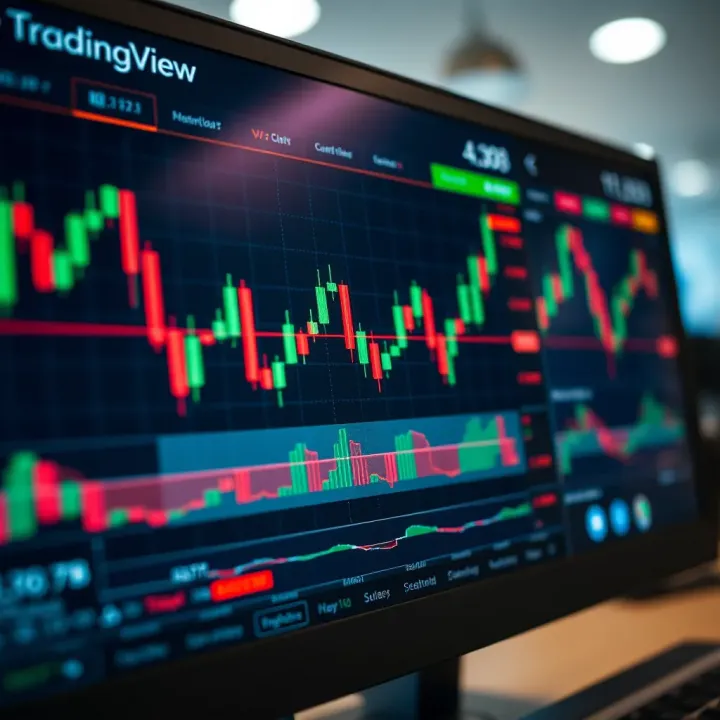
TradingView Guide for Pakistani Traders
📈 Discover how TradingView.com helps Pakistani traders analyze markets with powerful tools, real-time charts, and user-friendly features for smart trading decisions.
Edited By
James Thornton
Trading in Pakistan has been rapidly evolving, with more traders and investors seeking tools that deliver accuracy and real-time insights. Whether you’re dabbling in local stocks or eyeing international markets, having the right platform can make all the difference. TradingView.com has emerged as a go-to platform worldwide, thanks to its advanced charting capabilities, real-time data feeds, and active community.
This guide will walk you through what makes TradingView stand out, how Pakistani traders can tap into its features effectively, and practical tips to level up your trading game. From understanding the platform’s charts to strategies tailored for markets like the Pakistan Stock Exchange (PSX), this article aims to give you a complete picture – no fluff, just solid info.
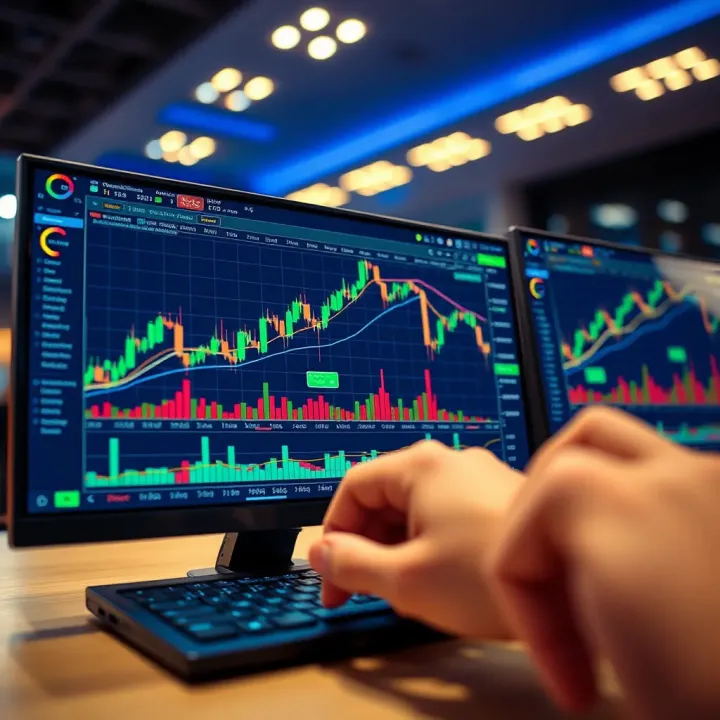
In trading, timing and clarity aren’t just preferences; they’re essentials. Platforms like TradingView can provide both, but knowing how to use them right is key.
Let's get started by outlining the main points we'll cover:
Overview of TradingView’s key features and tools
How to access and interpret real-time market data
Leveraging TradingView’s social community for decision-making
Specific considerations for Pakistani traders
Tips and tricks for enhancing technical analysis on the platform
By the end, you’ll be better equipped to make smarter trading decisions using TradingView tailored for Pakistan’s market conditions.
For traders in Pakistan aiming to stay ahead of the curve, understanding the tools available is no joke. TradingView.com stands out as a practical platform that brings a whole bag of tricks — from letting you draw charts with pinpoint accuracy to connecting you with traders worldwide. When you start your trading journey or even if you’re a seasoned trader, getting familiar with TradingView means you gain access to a toolkit that fits your needs and style.
This section lays the groundwork to understand what TradingView actually offers and why it’s preferred by so many, including traders from Pakistan. This foundation matters because the tools and features you pick can either make your analysis sharp or cloud your decisions.
TradingView is known for its crisp charting options. It’s not just about plotting lines; it’s about letting you customize those lines in various ways – candlestick, bar, or specialized charts like Renko. Imagine watching a tea leaf reader’s patterns but for stocks — this is that but digital and way more accurate. For example, you can mark trendlines, track volumes, and apply technical indicators like RSI or MACD right on your screen. These tools help Pakistani traders identify entry and exit points with more confidence.
TradingView isn’t just a solo act. It hosts an active community where traders share ideas, trade setups, and strategies openly. Suppose you’re stuck on how to interpret a volatile move in the KSE 100 index — chances are other traders have posted their analysis already. This peer environment helps you learn directly from others and sometimes avoid costly mistakes. Plus, you can follow expert analysts from Pakistan or abroad, getting insights in real-time.
One hurdle for Pakistani traders has been limited access to real-time local market data. TradingView offers live streaming data for many markets, including a decent selection of Pakistani stock indices, although some data may come with slight delays unless you opt for a paid subscription. Besides local equities, the platform offers global market data, forex, cryptocurrencies, and commodities, which Pakistani traders often follow for diversified trading strategies. Having this data in one place saves a lot of legwork and reduces the need to jump between different sources.
You don’t need to be a tech wizard to navigate TradingView. The user interface is straightforward, letting traders quickly pull up charts, apply indicators, or set alerts. I know a few traders in Karachi who switched to TradingView from bulky software because they found it less clunky and more intuitive. Instead of fumbling with complicated settings, they could drill down to the info they needed, faster.
Life isn’t always spent at your desk, especially for Pakistani traders who might move between internet cafes, home, or office. TradingView works across desktop browsers, smartphone apps, and even tablets smooth as butter. This flexibility means you can keep tabs on your trades or market news wherever you are — whether you’re grabbing chai or waiting for a client meeting.
One reason TradingView is a favorite is the huge variety of assets in one platform. Pakistani traders don’t just stick to KSE stocks; many trade forex pairs like USD/PKR, commodities like gold, or even cryptocurrencies. TradingView shines here, giving access to all those markets without needing separate tools. It’s like having a universal remote that also controls your lights and aircon.
Understanding these features of TradingView equips Pakistani traders with a realistic overview — not just hype — so you can decide whether it fits your trading approach and needs.
Understanding how to navigate the TradingView interface is essential for Pakistani traders to make the most of this powerful platform. Without a clear grasp of its layout and features, one might feel lost despite the rich tools available. Familiarity with the interface saves time and reduces frustration, allowing traders to focus on analysis and strategy rather than clicking around blindly.
TradingView offers both free and paid plans catering to different needs. The free plan is perfect for beginners or casual traders who need basic charting and some alerts but are fine with limited indicators and watchlists. For example, a free user might use up to three indicators on a single chart, which is fine for simple strategies.
Paid memberships like Pro, Pro+, and Premium open up more possibilities: more indicators per chart, multiple charts in one layout, and additional alerts. Pakistani traders who rely heavily on technical analysis and want to track multiple markets simultaneously find these plans especially useful. For example, someone trading forex and Pakistani stocks simultaneously might prefer a Pro+ plan to monitor several charts at once without switching screens.
Choosing the right plan depends on your trading style and budget. It’s a good idea to start with the free version and upgrade once your analysis needs grow. Many find the transition smooth because TradingView lets you keep all your settings and past work.
Setting up your profile properly on TradingView improves your overall experience. Customization helps in making your workspace personal and efficient. From uploading a profile picture to adding trading interests, these tweaks help when you interact with the community or publish ideas.
For instance, if you're a day trader focusing on the Pakistan Stock Exchange (PSX), you can list it in your profile. This attracts followers who share similar interests or can provide ideas specific to that market. Also, customizing profile visibility settings allows you to manage what information you share publicly.
Custom alerts, saved layouts, and notification preferences all tie into profile settings, so spending a few minutes here pays off in smoother daily use.
The dashboard's heart lies in its charting layouts. TradingView lets you open multiple chart windows side-by-side, enabling traders to compare different assets or time frames visually. For example, a Pakistani trader watching the KSE-100 index might also keep a forex pair like USD/PKR on another chart window.
Layouts can save time, as you don’t have to switch back and forth constantly. You can customize chart types, periods, and indicators independently for each window. It’s handy when you want to see quick snapshots of intraday moves alongside longer-term trends without mixing signals.
Effective use of chart layouts means quicker decision-making and better perspective on market conditions.
Watchlists let you group favorite assets in one spot. Pakistani traders might create lists based on local stocks like Engro Corporation, Lucky Cement, and international ones like Apple or gold futures. This organizes their screen and prevents missed opportunities.
Alerts add another layer of control by notifying you when prices hit certain levels or indicators trigger. Say you want to buy oil if it drops below $70/barrel; setting an alert means you don't have to monitor prices constantly.
TradingView supports different alert types—price levels, indicator crosses, or even custom Pine script conditions. Managing these alerts efficiently prevents alert fatigue by prioritizing what truly matters for your trading plan.
Keeping a tidy watchlist with smart alerts helps you act fast without staring at the screen all day.
The dashboard’s news feed and economic calendars keep traders informed of market-moving events. For example, knowing the State Bank of Pakistan’s policy announcement date lets you prepare for potential volatility.
Economic calendars highlight scheduled releases like GDP data or inflation reports, which can influence markets globally and locally. News sections aggregate headlines relevant to your chosen markets, offering quick insight without leaving TradingView.
For Pakistani traders, this means real-time access to events that impact the PKR, stocks, or commodities like cotton and wheat, all vital components of the local economy.
Staying updated here supports better-informed trades and helps avoid surprise moves that can sting your portfolio.
Getting accustomed to these interface elements builds confidence. With a firm handle on account setup and dashboard features, Pakistani traders are equipped to analyze efficiently and execute trades more effectively.
Charting is the bread and butter of technical analysis, especially for traders in markets as dynamic as Pakistan’s. Getting a grip on TradingView's charts and drawing tools isn’t just about prettifying your screen; it’s about making smarter decisions based on clear, visual insights. Proper use of these tools can transform raw market data into meaningful patterns that help spot opportunities and risks early. Whether you're tracking the Pakistan Stock Exchange or currency pairs in the Forex market, understanding kinds of charts and how to mark them up is vital.
Candlestick charts are the favorite of most traders — and for good reason. They pack a punch by showing open, high, low, and close prices in a single 'candle,' making it easier to spot price action and possible reversals. Bar charts offer similar info but look more like vertical lines with dashes marking the open and close. For example, in Pakistan's PSX, you might see a long candlestick on a stock like Engro Corporation indicating strong buying or selling pressure through the day. These charts work well for spotting support and resistance zones and are essential for any Pakistani trader aiming to read market sentiment.
Line charts are the simplest, connecting closing prices over time. They’re great for getting a quick idea of the overall trend without the noise of daily fluctuations—like checking the mood of KSE 100 index over months. Heikin Ashi charts, by contrast, smooth price action to filter out minor moves, showing clearer trends, which is useful when you want to avoid jumping at every little dip or spike. For instance, while following forex pairs like USD/PKR, Heikin Ashi can help confirm if a trend is truly taking hold.
Renko charts ignore time and focus on price movement, drawing bricks once the price moves a set amount. This filtering can be a lifesaver when the market’s choppy, like during uncertain political events in Pakistan affecting the market. Other specialized charts like Point & Figure and Kagi also help traders zero in on real price action without the distractions of volatility. These charts aren’t as common but can add a different perspective for advanced users.
TradingView packs a bunch of built-in technical indicators, from moving averages and RSI to Bollinger Bands and MACD. These are essential tools for gauging momentum, overbought/oversold conditions, or trend strength. For example, a Pakistani trader tracking the Unity Foods stock might use the RSI to spot if the stock is overheating and ready for a pullback. TradingView makes it super easy to add, customize, and combine these indicators to fit your style.
One of the cool things about TradingView is its Pine Script editor, letting traders build custom indicators and strategies. If the usual lineup doesn’t cut it, Pakistani traders can craft their own signals specific to their preferred setups. Say you want an indicator combining moving averages with volume spikes for tech stocks on PSX; Pine Script lets you tailor that. Sharing scripts in the community also means you can borrow and tweak others’ ideas too.
Drawing trendlines to connect highs and lows helps define the market’s direction and identify breakout points. Channels layer parallel lines to show trading ranges. For example, plotting a channel on Pakistan’s OMC stocks could highlight when price is squeezing between support and resistance. Such visuals guide entries, stop-losses, and profit targets.
Fibonacci retracements and extensions are classic tools to find possible reversal levels by measuring key price swings. Pakistani traders use these to anticipate where a bounce or pullback might stall. For instance, after a rally in Hub Power Company shares, applying Fibonacci retracements can spotlight price areas where profit-taking could kick in.
Sometimes a chart needs a little note or highlight — TradingView lets you add text, arrows, rectangles, and other shapes on the charts. It’s handy for marking important levels, fundamentals, or market events like earnings reports or policy changes impacting the Pakistan market. These annotations make charts easier to interpret later or to share ideas with other traders.
Mastering charts and drawing tools turns raw data into actionable ideas. This isn’t just theory; it’s about reading the market’s story at a glance. For Pakistani traders, such skill can mean spotting trade setups amid local and global market noise, improving chances of success.
The next step is to keep practicing these tools regularly. A chart isn’t just a picture—it’s your trading map.
Setting alerts and notifications is a critical feature on TradingView that every trader should know how to use effectively. For Pakistani traders juggling various markets and time zones, these alerts serve as a reliable watchdog, catching important price movements or indicator signals without the need to constantly stare at the screen. In simple terms, alerts help you stay on top of market changes even when life gets busy or you’re away from your computer.
Price level alerts let you set notifications for specific price points. Say you’re watching the Karachi Stock Exchange and waiting for a particular stock, like Pakistan Oilfields, to hit a resistance level at Rs. 350. You can create an alert to notify you the moment the price reaches or breaks this level. This saves you from the hassle of manually tracking every tick during the day.
These alerts are straightforward and flexible. You decide whether you want to be notified only when the price crosses above, below, or simply touches the defined level. This feature is essential for traders who base decisions on key support and resistance zones or those using breakout strategies.
Not all trading decisions hinge on price alone. Often, technical indicators like RSI or MACD signal potential entry or exit points. TradingView allows you to set alerts based on these indicators, which automatically trigger when conditions you define are met—like RSI crossing above 70 (overbought) or MACD lines crossing.
For example, a forex trader keeping an eye on USD/PKR might set an RSI alert to spot when the market is overbought or oversold, helping to time entries more precisely. This feature adds a layer of sophistication by linking alerts directly to trading signals, not just price levels, giving you an edge in your strategy.
Once an alert triggers, TradingView offers multiple ways to notify you. You can receive alerts via email, SMS, or push notifications through the TradingView app. Pakistani traders might find app notifications the most immediate and reliable, especially when they’re on the move and may not check emails often.
Setting your preferred notification method ensures you don’t miss critical market moves. For example, if you're in a meeting or out running errands, a quick push notification on your smartphone might be the best way to get the alert instantly.
As you accumulate alerts over time, keeping track of their status and relevance can get messy. TradingView lets you view alert history, showing which alerts have triggered and which are still waiting in the wings. This history helps you review past market actions and refine your strategies.
Organizing alerts by naming them or sorting by creation time keeps things tidy. For instance, you could categorize alerts by market type—stocks, forex, commodities—or by strategy, so you’ll know at a glance what each alert relates to. This kind of management is especially handy when you’re juggling multiple assets and signals.
Setting up and managing alerts smartly on TradingView can be a game-changer, ensuring you never miss a trading opportunity while freeing you from constant screen-watching.
In sum, mastering alerts and notifications keeps you connected to the markets effortlessly, making your trading life both easier and more proactive.
One of TradingView's standout qualities is its active community, bringing traders together to share insights, strategies, and market ideas. For Pakistani traders who often trade in less liquid markets or navigate regional nuances, tapping into this social aspect can offer fresh perspectives and real-time feedback. These community features aren’t just for show—they can significantly shorten your learning curve and help avoid common pitfalls by learning from others' experiences.
Publishing your trade analysis on TradingView is like putting your thoughts on a public billboard but with an audience that genuinely cares about markets. Pakistani traders can use this feature to share detailed chart studies, forecast potential price moves, or highlight setups based on familiar local stocks or even global assets like US tech giants. When you publish, others can see your logic, comment on it, or suggest alternatives. This process lets you refine your skills and gain credibility.
For example, say you analyze the Karachi Stock Exchange index and notice a classic double-bottom pattern forming. By posting your chart and explanation, you encourage dialogue, which can validate your prediction or highlight overlooked risks. It’s a way of crowd-sourcing knowledge without spending hours digging alone.
Discussion forums on TradingView act as marketplaces of ideas where traders from Pakistan and beyond converge. These forums are goldmines for asking questions, sharing quick trade tips, or debating market news. They create a space where you don’t have to feel you're figuring everything out solo. Whether you’re a newbie trying to understand candlestick patterns or a pro debating macroeconomic factors affecting the PKR, these forums help you tap into a pool of diverse opinions.
Forums can be sorted by asset class, region, or specific trading styles, so Pakistani traders can find threads relevant to their niche—be it local equities, forex, or commodities like cotton and oil. It's an informal learning ground that often reveals details missed in textbooks.
With thousands of traders publishing analysis, identifying reliable voices can seem daunting. Pakistani traders should look for experts whose strategies have consistent results, clear reasoning, and responsive interaction with their followers. TradingView shows metrics like “followers,” “likes,” and “publish frequency” which help weed out noise.
For instance, finding a trader who regularly analyzes US dollar to PKR movements with detailed indicator use would be far more beneficial than a sporadic poster with few insights. Pay attention to explanations, not just market predictions. Reliability grows from transparency and repeatable methodology.
One of the most underrated tools is the little comment box below published charts. Engaging here lets you ask clarifying questions or share your take. For Pakistani traders, commenting on charts that discuss regional markets or local economic events can spark meaningful conversations. This interaction can provide clarity when market moves seem off or unexpected.
Direct messaging offers a more private channel to exchange ideas with seasoned traders, fostering mentorship-type relationships. However, always approach this with caution—verify the credibility of the person before acting on any advice.
Building connections and exchanging ideas within TradingView's community can help Pakistani traders stay informed, avoid common mistakes, and develop trading skills in a more interactive way than isolated chart watching.
By weaving social features into their routine, Pakistani traders not only gain support but also join a global dialogue that keeps them sharp and adaptable in fluctuating markets.
TradingView offers a rich toolkit that Pakistani traders can use to make smarter decisions in their local markets. While it’s mainly known for global market coverage, its features extend well into local stocks and indices, making it relevant for anyone trading within Pakistan's financial landscape. This section will explain how TradingView fits into analyzing Pakistan’s markets, spotlighting its strengths and also some practical limitations.
TradingView provides access to several Pakistani stock exchanges like the Pakistan Stock Exchange (PSX). Here, traders can view live and delayed data for major indices such as the KSE 100, KSE 30, and all main sectors. Charts offer detailed price movements, volume, and other standard indicators essential for technical analysis. For example, you can monitor the performance of companies like Lucky Cement, Engro Corporation, or Habib Bank in real time or through historical data.
This data is crucial for traders who want to understand local market trends without hopping between different platforms. By tracking sector-wise indices or individual stocks, you can spot momentum shifts early and set alerts accordingly. That’s something local brokers often can’t provide with the same level of flexibility and visualization.
Despite the advantages, TradingView has some limits when it comes to Pakistani markets. Data might not always be real-time due to exchange restrictions, resulting in a few minutes’ delay. Also, some smaller stocks or less liquid securities might not be supported. This can be frustrating if you're aiming for day trading or quick scalping strategies.
A common workaround is to combine TradingView’s tools with direct feeds from local brokers or the PSX website for the most up-to-date quotes, using TradingView mainly for analysis. Setting alerts on core stocks and indices can help keep you in the loop without constant manual checking. Many traders also rely on TradingView’s mobile app notifications to catch sudden movements even when away from their desk.
Forex trading remains popular across Pakistan, especially the USD/PKR, EUR/USD, and GBP/USD pairs. TradingView covers these pairs extensively, providing detailed charts and a wide range of technical indicators like Relative Strength Index (RSI) or Moving Averages that help monitor price trends effectively.
As an example, a trader tracking the USD/PKR on TradingView can spot support and resistance levels and anticipate central bank interventions or political events that often cause swings in the currency market. The platform’s social features also allow you to see ideas or analyses from other Forex traders which can be a valuable edge, especially for newcomers.
Commodities like oil, gold, silver, and agricultural products are significant for Pakistan’s economy and investment portfolios. TradingView offers real-time pricing and historical data for commodities like Brent Crude, Gold futures, and WTI oil.
For instance, if you're following gold as a hedge against currency depreciation, TradingView’s platforms help spot key reversal points or breakout levels using tools like Fibonacci retracement or Bollinger Bands. These insights can guide when to enter or exit trades on Pakistan’s commodity markets.
TradingView acts as a versatile hub for Pakistani traders, blending local stock insights with global Forex and commodity data. While not perfect, its combination of charting, alerts, and social features creates a practical environment for analyzing a wide range of tradable assets.
Using these features wisely helps traders stay informed and react quicker to market shifts, which is essential in a rapidly changing economic climate. So, whether you’re focusing on Pakistani equities, currency pairs, or commodities, TradingView offers valuable tools that fit right into your toolbox.
Integrating TradingView with brokers and trading platforms brings together powerful charting tools and the ability to execute trades within a single environment. For Pakistani traders, this means less switching between apps and more focused decision-making. Traders can analyze charts, get real-time data, and place orders directly without hopping to a broker’s separate interface. This integration saves time, cuts down on errors, and lets traders act quickly on market movements.
TradingView supports a variety of brokers around the world, allowing users to connect their live trading accounts to the platform. Pakistani traders can benefit from brokers like Interactive Brokers, OANDA, and Saxo Bank – all integrated with TradingView’s system. When you link your broker account, TradingView acts as a middleman, transmitting your buy or sell orders directly to the broker with seamless communication.
These connections support multiple asset classes, including forex, stocks, and commodities. For example, if you’re trading USD/PKR or local stocks listed internationally, connecting via OANDA lets you monitor live rates and make trades instantly within TradingView’s interface. This setup removes the traditional hassle of toggling between charting software and brokerage platforms.
Once your broker account is linked, placing trades on TradingView is straightforward. Within a chart, there’s a built-in trading panel where you enter your order details – such as buy/sell, quantity, and order type (market or limit). Hit "send," and the order forwards directly to your broker for execution.
For example, imagine spotting a neat breakout in the KSE-100 index chart. You can instantly place a market order without leaving TradingView. The platform also shows your open positions, order history, and profit or loss in real-time, keeping everything transparent and accessible.
Before trading live, it's important to test this connection using demo accounts if your broker offers them—this minimizes errors and familiarizes you with the order process.
Broker integration organizes trading and analysis in a neat, consolidated workflow. Pakistani traders no longer juggle multiple platforms or screens to track prices and execute orders. This streamlined process reduces the risks of missing a trade opportunity or inputting the wrong order details due to switching between apps.
For instance, a trader tracking international commodities and Forex pairs can rely on TradingView to show updated prices and place trades immediately, enhancing efficiency. The time saved adds up, especially in volatile markets where seconds can mean the difference between profit and loss.
Having broker integration means trades are sent directly and instantly from TradingView to the broker without delay. This real-time execution reduces slippage, which can happen if orders have to pass through multiple servers or platforms before reaching the market.
This advantage is especially important in fast-moving currency pairs like USD/PKR or volatile stocks. Pakistani traders who pick up trends or react to breaking news can benefit significantly by placing orders that reflect the live market price.
In summary, integrating your broker with TradingView provides a smoother, faster, and more transparent trading experience. It’s worth exploring which brokers offer the best connectivity for your trading preference and ensuring your setup is secure and reliable before going live.
To truly benefit from TradingView, it's not just about knowing what tools are available, but also how to use them in a way that fits your unique trading style. Especially for Pakistani traders, who might be juggling local market challenges alongside global trends, optimizing your setup and habits on TradingView can make all the difference. These tips allow you to save time, stay organized, and tap into the community’s knowledge in a way that enhances your trading edge.
One of the best ways to speed up your analysis is by saving chart templates. Imagine you've spent a good chunk of time tweaking indicators, timeframes, and visual elements to suit your trading preferences. Instead of repeating this every time, simply save it as a template. This means when you open another chart or even return the next day, you can load your predefined setup instantly.
For example, you might create a template that highlights key Pakistani stocks with Bollinger Bands and RSI indicators applied. Saving this template helps maintain consistency in your analysis and stops you from wandering off-track, which can happen when you constantly adjust settings.
Trading involves juggling multiple charts, news feeds, and sometimes even broker platforms simultaneously. Using multiple monitors takes this multitasking from cramped and cluttered screens to a more fluid and comfortable workflow. Having a setup where you can keep the main dashboard on one screen, a watchlist on another, and detailed charts on a third can seriously cut downtime switching windows.
Pakistani traders often follow global events closely to spot opportunities, like currency moves or commodities spikes. Having several screens means you can keep these real-time alerts and charts visible all the time without breaking a sweat.
TradingView's social component is a goldmine for Pakistani traders wanting fresh perspectives or to validate their own ideas. The platform’s Trending Ideas section features the most talked-about analyses and predictions. By following this, you get to peek into what strategies others are employing in real time.
For instance, if many traders are watching the Karachi Stock Exchange’s major players or focusing on USD/PKR fluctuations, you can join the conversation or adjust your outlook accordingly. This keeps your trading sharp and aligned with what’s happening beyond just numbers.
The learning doesn’t stop at watching charts. TradingView’s collection of community webinars and tutorials is perfect for deepening your understanding or mastering new tools like the Pine Script editor or advanced indicators.
Pakistani traders can gain a lot here, from basics to more complex strategies that might not be widely available locally. Plus, these sessions often highlight common mistakes, handy shortcuts, or ways to better interpret signals which can save you money and frustration down the road.
Pro Tip: Engage actively during these webinars by asking questions or sharing your insights. This interaction builds your confidence and connects you with skilled traders.
In short, by customizing your workspace and tapping into the community’s pulse through trending ideas and educational events, you make TradingView more than just a charting platform—it becomes your trading companion. These tips are not just helpful, but essential steps towards smarter, faster, and more informed trading in Pakistan’s dynamic markets.
Every trader, no matter their experience, bumps into challenges using platforms like TradingView. For Pakistani traders, these issues can be a bit tricky given local connectivity setups and budget constraints. Addressing common hurdles upfront helps smooth out the trading process and keeps frustrations at bay. This section breaks down typical problems users face, like internet glitches or subscription confusion, and offers practical workarounds so you can focus more on smart trading than wrestling with tech.
When it comes to smoothly running TradingView, a reliable internet connection is the backbone. Yet, in Pakistan, inconsistent broadband speeds, occasional ISP throttling, or high latency can cause charts to lag or alerts to delay, messing up timely decisions.
Sometimes it’s not just your internet but how your browser handles the platform. Shrinking unnecessary background tabs and disabling heavy plugins can ease system strain. For example, using browsers like Google Chrome or Firefox updated to their latest versions often results in quicker loading times. Clearing your cache regularly is a must since stale data slows performance. Also, turning off ad blockers temporarily can avert script conflicts that freeze chart updates. These simple tweaks can make your TradingView experience smoother without spending a dime.
Outside a steady broadband connection, mobile apps come to the rescue. TradingView’s own mobile version is optimized for slower or patchier networks common in Pakistan. By relying on a mobile app, traders can access real-time charts and alerts even on 3G or spotty 4G connections. Plus, apps support push notifications instantly, which is vital during fast market shifts. On the flip side, it’s smart to keep your phone’s software up to date and ensure the app’s cache is cleared every so often to avoid slowdowns. Using mobile data wisely and switching between Wi-Fi and mobile networks when one falters can keep you plugged in without headaches.
Navigating TradingView’s subscription options can be a bit of a head-scratcher, especially when balancing costs against features. For Pakistani traders where every penny counts, picking the right plan matters more than ever to get good value without overpaying.
TradingView offers Free, Pro, Pro+, and Premium plans, each with different limits on alerts, chart layouts, and indicators. For beginners or casual traders, the Free or Pro plans might be just right, providing enough tools to start analyzing without a subscription fee. However, serious traders eyeing multiple charts and real-time alerts should weigh the investment against their trading goals. For instance, the Pro+ plan includes 10 alerts and enhanced data features that can make tracking volatile forex pairs smoother. Pakistani traders should try free trials to gauge benefit first and consider local payment options through platforms like JazzCash or Easypaisa where available.
Don't underestimate the Free tier—it packs quite a punch for those just starting out or trading on a budget. Features like access to most chart types, some technical indicators, and the ability to publish ideas are included. By focusing on mastering the drawing tools and free indicators, traders can develop solid analysis routines before committing money. Leveraging community scripts and following popular public ideas on TradingView’s social side also boosts learning without extra costs. Practicing smart alert setups within free limits ensures you catch important market moves without wasting notifications.
In short, knowing your tech setup and subscription essentials helps you navigate TradingView's challenges and trade confidently in Pakistan’s dynamic markets.
When it comes to trading, security isn't just an option—it's a must. Pakistani traders, especially those handling real money and personal data, must prioritize safeguarding their accounts and information. TradingView offers various features to help users maintain security and control over their data. Understanding these can prevent headaches down the line, like unauthorized access or data exposure.
Two-factor authentication (2FA) adds an extra layer of security by requiring not only your password but also a second form of verification, usually a code sent to your phone or generated by an authenticator app. This means that even if someone cracks your password, they still can’t get in without the second step. For Pakistani traders, who might be using public or shared internet spots, 2FA is a lifesaver.
Setting it up on TradingView is pretty straightforward. Once enabled, every login or sensitive action prompts for a code you get on your phone, making unauthorized access a tough nut to crack. It's a simple, yet effective measure to keep your account locked down tight.
Strong passwords are your first defense. Avoid using easily guessed stuff like "123456" or "password." Instead, think of a passphrase—a few random words smashed together or a sentence you can remember. For example, "BlueTiger7RainCoffee" is way better than a simple word.
Also, it's a good idea to use a password manager like LastPass or Bitwarden. They not only generate strong passwords but safely store them so you don’t have to keep reusing the same one. Changing your password every few months is smart, too, especially if you hear about a data breach somewhere. Remember, one weak password can open the door to everything.
Like many platforms, TradingView collects some data from its users—things like your device information, usage patterns, and sometimes location data. This info helps them improve their service and keep the platform running smoothly.
Pakistani traders need to be aware of how their data is handled. TradingView is transparent about data usage, but it’s on you to review their privacy policy and settings. If you’re uncomfortable with sharing certain info, they allow some control over what you share. Always remember, over-sharing publicly can expose you to unwanted attention or phishing attempts.
Many traders love sharing their ideas and analyses on TradingView’s community features, but being public means your profile and trading habits might be visible to others. For users who value privacy, it’s crucial to check profile settings.
TradingView lets you tweak who sees what. You can keep your profile private or limit visibility to trusted followers. Also, watch out when posting: avoid sharing sensitive data like exact trade amounts or personal contact info. Keeping a balance between engagement and privacy is key.
Strong security practices protect your trading capital and personal information. It’s always better to be a bit cautious than to deal with the fallout of a hacked account or exposed data.
By understanding and implementing these security and privacy measures, Pakistani traders can use TradingView more confidently without worrying too much about vulnerabilities. After all, a secure account is the foundation for successful trading.
When evaluating tools for trading and market analysis, comparing TradingView with alternatives is essential for making informed choices. Pakistani traders, like any others, need to weigh their options carefully. Each platform offers unique strengths and weaknesses, so understanding how TradingView stacks up against them helps identify whether it's the right fit for individual needs or trading strategies.
TradingView is renowned for its versatile charting and social features, but other platforms might offer things like deeper integration with brokers or more advanced order options. In the following sections, we'll break down where TradingView shines and where other platforms might pull ahead, giving practical insight so traders can choose wisely.
One of TradingView’s standout qualities is its clean, intuitive interface. The platform doesn’t overwhelm with clutter, making it accessible even for beginners without sacrificing functionality for pros. Charts load quickly, and adding indicators or drawing tools happens with just a few clicks. For Pakistani traders juggling market analysis with daily routines, this ease means less time fighting the software and more time spotting opportunities.
For example, users can quickly switch between various chart types or resize layout windows without restarting the platform. This flexibility leads to a smoother workflow and fewer distractions. The straightforward menu design reduces the learning curve, so traders can jump in and start analyzing sooner rather than later.
TradingView doubles as a social hub where traders share ideas, setups, and strategies openly. The community section allows Pakistani traders to follow seasoned experts or peers, giving access to varied viewpoints on local and international markets. Interactive elements like comments and collaborative scripts foster a learning environment that many platforms lack.
This social angle is no small thing. When markets swing unexpectedly, having a network to compare notes with or find alternate perspectives can be a lifesaver. For example, someone following forex discussions may discover timing tactics or risk management tips tailored to currency pairs popular in Pakistan. Community-driven idea feeds and public chatrooms turn analysis into a shared experience rather than a lonely grind.
While TradingView offers excellent charting and alerts, its order execution tools are limited compared to some brokers’ platforms. Many Pakistani traders find that platforms like MetaTrader 5 or Interactive Brokers provide more sophisticated order options, such as trailing stops, iceberg orders, or conditional orders. These help manage trades with nuances that simple market or limit orders can’t cover.
Advanced order types are especially beneficial when volatility spikes—as is often seen in currency markets or commodity trading. For instance, setting a stop-loss that adjusts automatically as prices move can lock in profits without constantly monitoring the screen. Traders who rely heavily on these advanced tools may find TradingView’s integrated execution less flexible, so they often use it alongside other platforms for order placement.
Platforms directly linked to brokers sometimes include proprietary features tailored to their clients' needs. This could be specialized risk calculators, margin management tools, or exclusive research reports. Pakistani traders working with local or international brokers like IG, Saxo Bank, or ThinkMarkets might gain access to bespoke tools that TradingView doesn’t provide.
For example, some broker platforms offer advanced portfolio analytics to track exposure across different asset classes, including Pakistani stocks and derivatives. This granular insight isn’t always available on TradingView, since it focuses primarily on charting and social networking. Thus, when in-depth broker-centric functionality is crucial, traders often rely on dedicated broker platforms either as their main environment or in conjunction with TradingView.
Understanding these strengths and weaknesses lets Pakistani traders pick setups that suit their trading style, technology comfort, and market focus. TradingView excels at charting and social exchange but may require pairing with other tools for complete trading operations.
For Pakistani traders stepping into the world of TradingView.com, getting started on solid footing is half the battle won. This section breaks down practical steps to help traders build their first charts, choose the right markets, utilize indicators, and establish routines that turn one-off trades into consistent, informed decisions. Whether you’re trading the KSE-100 index or dabbling in forex pairs like USD/PKR, knowing how to set up and customize your workspace is key.
To get started, the first task is picking which markets to watch. Pakistani traders often focus on the Pakistan Stock Exchange (PSX), but that doesn’t mean they should limit themselves. Including other markets like the US stock indices (S&P 500, Nasdaq), popular Forex pairs (like EUR/USD or USD/PKR), and commodities (crude oil or gold) broadens your view and helps spot global trends impacting your trades.
Consider this example: if oil prices surge, it usually affects the Pakistan market since energy stocks react quickly. So, following oil futures alongside PSX could give you an edge. In TradingView, simply use the search bar to add these symbols to your watchlist. The trick is to keep your list manageable—you don’t want to spread your attention too thin, but having a mix of local and global markets helps you see bigger picture moves.
Once your markets are chosen, it’s time to apply some fundamental technical indicators. Moving averages (MA), Relative Strength Index (RSI), and volume are staple tools that suit beginners and pros alike. For instance, a 50-day moving average can show you the overall trend, helping avoid chasing trades during choppy price action.
A practical routine is to add a 50-day and 200-day MA to spot crossovers, which often signal trend shifts. Combine that with RSI to check if the stock or pair is overbought or oversold—signals that can guide entry or exit points. When you add indicators in TradingView, try not to overload your chart; too many lines turn it into a mess and defeat the purpose.
Tip: Keep your first chart clean. Start with one or two indicators and build from there as you grow more confident.
A big advantage of TradingView is setting alerts, which act like your trading assistants. Instead of staring at charts for hours, you can program alerts on price levels or indicator triggers. Say you’re tracking the PKR/USD Forex pair and want to know when it crosses 165.00. Setting an alert means you get a real-time notification via email or app, ensuring you don’t miss the move.
For Pakistani traders, this saves time and helps manage trades without constantly monitoring screens during busy workdays or prayer times. Plus, setting alerts on multiple assets allows diversified attention and quicker responses to market changes.
Successful trading is a marathon, not a sprint, and keeping a trading journal is essential. Documenting your entries, exits, the reasons behind your decisions, and emotional state helps identify patterns in your behavior. For example, you might notice you tend to exit early on winning trades or hold losing ones too long.
Using TradingView's snapshot and commenting features lets you save chart images and annotations for each trade. Combine it with a simple notebook or digital spreadsheet, and you have a straightforward system to improve over time.
Remember: The market won't hand you wins on a silver platter. Reviewing your trades regularly builds discipline and understanding.
Starting with the right setup, smart watchlists, and simple indicators, alongside consistent alerting and journaling habits, will arm Pakistani traders against many typical rookie mistakes. TradingView.com offers the tools, but practicing these practical steps paves the path to becoming a confident trader in local and global markets alike.
📈 Discover how TradingView.com helps Pakistani traders analyze markets with powerful tools, real-time charts, and user-friendly features for smart trading decisions.
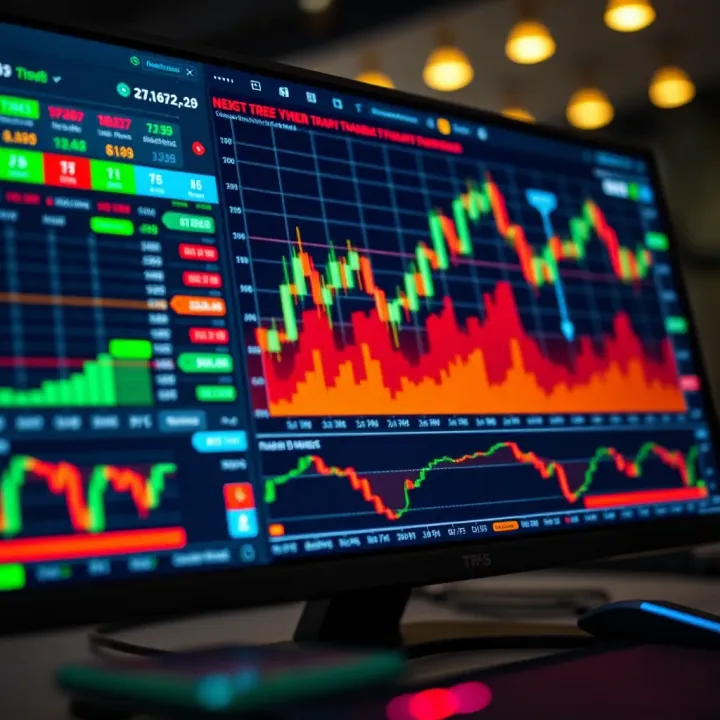
Explore TradingView.com for Pakistani traders 📈—learn features, tools, social networking, plans, and tips to start smart with market analysis and trading!
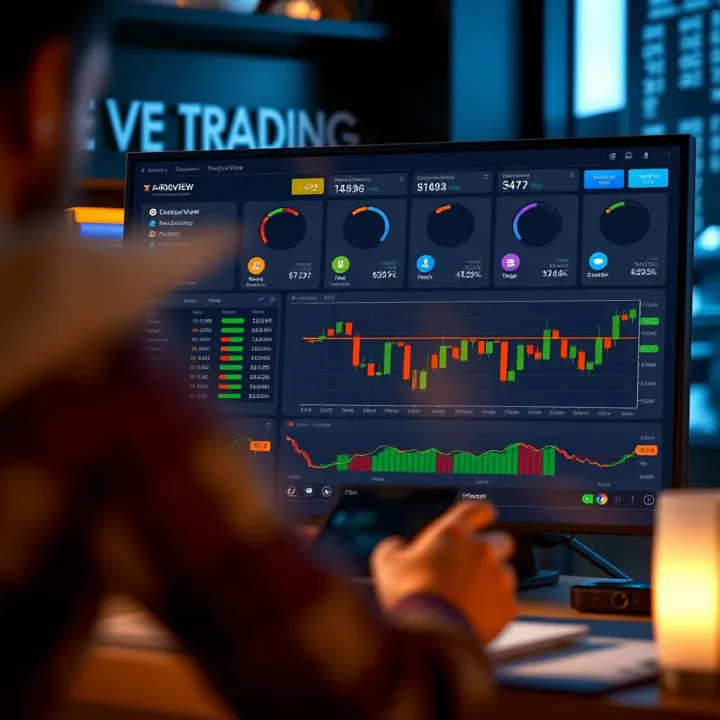
Explore TradingView’s powerful charting tools 📈, community features 🤝, and broker integrations 💼 tailored for traders in Pakistan 🇵🇰 to make smarter market moves.
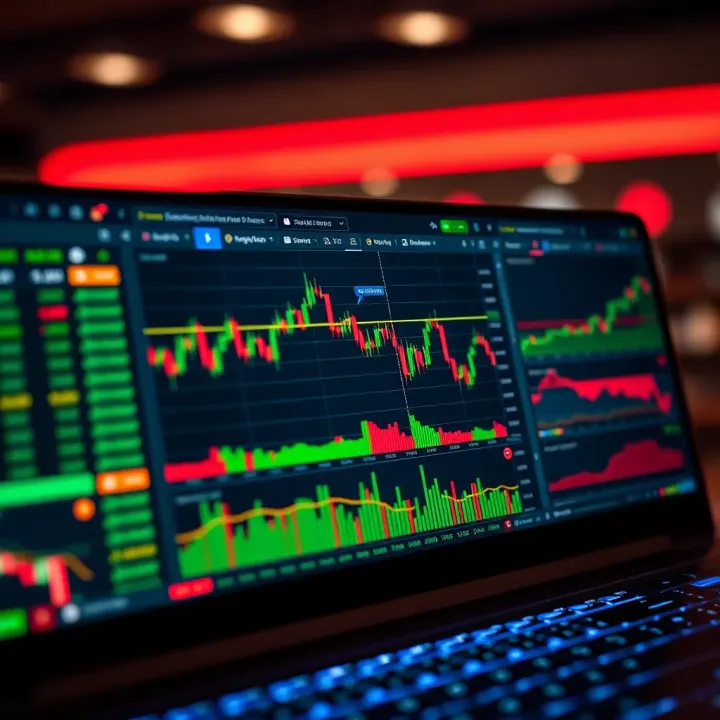
📊 Discover how TradingView empowers traders in Pakistan with advanced charts, indicators, broker integration, and mobile tools for smarter market moves!
Based on 9 reviews