
TradingView Guide for Pakistani Traders
Explore how Pakistani traders can benefit from TradingView.com with real-time data, advanced charts, and a strong trading community 📈💹
Edited By
Ethan Murray
TradingView has become a staple for traders worldwide, especially in places like Pakistan where access to global markets and smart tools can make a big difference. If you are trading stocks, forex, commodities, or cryptocurrencies, understanding how to use this platform can really put you ahead of the curve.
In Pakistan, where market dynamics can be a little different and sometimes access to advanced tools is limited, TradingView offers a practical solution. It combines powerful charting features, a community-driven approach, and broker integration all in one place. This guide will show you how to make the most of TradingView’s key tools and features, breaking down how they fit into the Pakistani trader’s landscape.
Whether you are a seasoned investor or just starting to dip your toes in trading, being able to read charts effectively and connect with others can sharpen your decisions. We will cover everything from setting up your TradingView account to using technical indicators tailored for regional markets, plus how to link your account to brokers available in Pakistan.
TradingView is more than just a charting tool — it’s a community and marketplace all rolled into one, and understanding its ins and outs can save you time and money in your trading endeavors.
By the end of this guide, you’ll have a clear, practical understanding of how to navigate TradingView and use it to make smarter, informed trading decisions right here in Pakistan.
TradingView has quickly become a favored platform for traders around the world, and its popularity in Pakistan is no coincidence. For anyone serious about trading stocks, forex, or cryptocurrencies, understanding what makes TradingView tick is vital. The platform offers a mix of powerful charting capabilities, community insights, and real-time data — all essential tools for navigating today's fast-moving markets.
At its core, TradingView provides traders with a comprehensive set of charting tools and technical indicators that are easy to use yet deep enough for experts. Imagine you're watching the Pakistan Stock Exchange (PSX) and want to track a volatile stock like Habib Bank Limited. TradingView lets you pull up detailed candlestick charts, add moving averages, or set alerts when the price hits certain levels. The platform supports multiple asset classes too, including international stocks, forex pairs, and cryptocurrencies, making it a one-stop shop for diverse portfolios.
Another stand-out feature is its cloud-based approach. You can start analyzing on your desktop at home, then check your discussions or charts on the go from your smartphone without losing a beat. Plus, you’re able to publish your ideas to a community bustling with traders—from novices sharing beginner strategies to seasoned pros highlighting trade setups you won’t see on traditional platforms.
Pakistani traders flock to TradingView for several practical reasons. First off, the platform supports local markets like the PSX, alongside major global markets—the best of both worlds if you want to diversify or hedge your investments. Also, access to real-time data (either free or via affordable subscriptions) means traders aren’t stuck with old info, which could be costly.
Many traders in Pakistan appreciate how TradingView fills the gap left by local broker platforms, which often lack advanced charting tools or community features. It's not uncommon to find traders in Karachi or Lahore discussing setups or sharing insights right on TradingView’s platform, effectively creating a digital trading floor.
Furthermore, TradingView’s flexibility and ease of use appeal to a wide range of users—from students and fresh market entrants trying to learn, to professional traders looking for high-grade technical analysis tools. The combination of social networking, comprehensive charts, and affordability makes TradingView a practical choice without breaking the bank.
For many Pakistani traders, TradingView isn't just another platform—it's where they sharpen their skills, test ideas, and stay connected with the pulse of both local and international markets.
This introduction sets the stage for the rest of the guide, which will walk you through everything from setting up an account to advanced analytical tools designed to improve your trading decisions in Pakistan’s unique trading environment.
Getting your TradingView account set up correctly is a foundation you shouldn’t overlook. For traders in Pakistan, it’s more than just signing up. It’s about configuring the tools and settings so the platform really fits your trading style and meets your specific needs. Imagine trying to cook without prepping your ingredients—setting up your account properly is like getting your kitchen ready before you start.
When you first create your TradingView profile, it’s tempting to rush through that step, but spending a bit of time here pays off. A detailed profile doesn’t just help personalize your experience; it also lets you connect with other traders who share your interests or trading style. For example, if you trade mainly in the PSX or follow currency pairs like USD/PKR, noting this can help the platform suggest relevant content and contacts.
Setting up your profile involves choosing a username, adding a profile picture, and filling out details about your trading experience and interests. Pakistani traders might want to highlight their focus on local market conditions, which can be quite different from international trends. This way, when you publish ideas or interact within the community, others get a clear sense of your perspective. A customized profile also lets you adjust privacy settings — handy if you want to share ideas publicly or just keep things private.
TradingView’s interface can feel overwhelming at first, especially with the tonnes of charts, tools, and menus in front of you. But taking the time to understand the layout can make your daily trading tasks smoother.
The main screen is your chart workspace, where all the magic happens. On the left, you’ll find the drawing tools like trend lines and Fibonacci retracements, while the right sidebar displays watchlists and alerts. For traders in Pakistan juggling multiple markets such as the Karachi Stock Exchange and forex pairs, organizing your watchlists is a lifesaver.
It’s worth noting that the interface is highly customizable. You can choose a light or dark theme depending on your preference, re-arrange panels, or even save different layouts that suit specific strategies. For example, one layout might focus on candlestick charts for PSX stocks, while another is for forex with multiple indicators active.
Remember, the goal of mastering the interface is to reduce the time it takes to get insights, so you can act quickly in fast-moving markets.
Setting up your account with care, customizing your profile thoughtfully, and getting comfortable with the interface will make you much more efficient at using TradingView. This preparation is especially key for traders balancing local and international data who need a platform that works as hard as they do.
Charting tools are the backbone of any trading platform, and TradingView's suite offers powerful ways traders in Pakistan can read the markets. Knowing how to interpret charts is like having a map in unfamiliar terrain—it helps you see where price has been and anticipate where it might go. For Pakistani traders focusing on stocks, forex, or commodities, mastering these tools means making smarter moves, not just hoping for the best.
Candlestick charts are the crowd favorite for a reason. Each candlestick shows the opening, closing, high, and low prices for a set time frame. It’s a quick snapshot that packs a punch. For instance, when you're watching the PSX (Pakistan Stock Exchange), spotting a bullish engulfing pattern on a candlestick chart might hint that buyers are gaining control. This type of chart helps you read market sentiment fast, making it a go-to for daily traders and swing traders alike.
Line charts connect closing prices over time, giving a clean and simple picture of where the price has been. While they don’t show the highs and lows like candlesticks, their straightforwardness is perfect for spotting overall trends without distraction. In volatile markets like forex, where every tick matters, traders often switch between line charts and more detailed ones to get the big picture quickly.
Bar charts offer a middle ground between the simplicity of line charts and the detail of candlesticks. Each bar shows the opening, closing, high, and low prices but in a different style. This can be very useful for traders who like to analyze price movement depth without the visual density of candlesticks. Say you monitor currency pairs like USD/PKR; bar charts help you track price swings effectively while keeping an eye on volatility.
Trend lines are the trader’s compass. By drawing a line connecting lows in an uptrend or highs in a downtrend, you get a visual guide to market direction. Pakistani traders often use trend lines to decide when to enter or exit trades. For example, if a trend line on the KSE 100 index breaks downward, it might signal a selling opportunity, prompting you to adjust your strategy.
These are the invisible walls where prices tend to stop and reverse. Marking support and resistance on TradingView charts can alert you when a stock like Engro Corporation nears a critical price point. Knowing these levels helps you place stop-loss orders wisely and set targets for profits. Traders use this info to avoid chasing prices and instead wait for better entry spots.
Fibonacci retracements are a bit like finding secret levels in the market based on math. They identify likely “bounce” points after a price move, helping traders pinpoint where a pullback might end and the trend resumes. For someone trading the volatile cotton commodity prices in Pakistan, Fibonacci levels could show where the price might find support after a sharp drop, making it easier to time your buys.
Understanding and using TradingView’s charting tools well can turn guessing games into informed decisions. Whether it’s catching a trend with a simple line or digging into candlestick patterns, these tools equip you with the insight to trade more confidently in Pakistan’s dynamic markets.
Technical indicators are a big part of what makes TradingView so helpful, especially for traders in Pakistan who want to get a clearer picture of market trends. These tools dig into price and volume data to highlight patterns and signals that aren’t always obvious from just looking at the raw charts. By understanding indicators, traders can spot potential entry and exit points, gain confirmation on price moves, and manage risk better.
Using technical indicators on TradingView lets you tap into a rich set of analysis methods—from simple moving averages to complex oscillators—all of which can be tailored to your trading style. For example, if you’re eyeing the PSX (Pakistan Stock Exchange), combining different indicators helps avoid false signals and sharpen your decisions. So, technical indicators don’t just fill charts with lines; they guide you to make smarter trades based on data rather than gut feelings.
Moving averages smooth out price data to give you a clear sense of the trend. The simplest kind is the Simple Moving Average (SMA), which calculates the average price over a set period. Another is the Exponential Moving Average (EMA), which gives more weight to recent prices and reacts faster to market changes.
For Pakistani traders, moving averages are invaluable for spotting trend direction. Say you’re tracking the Karachi Electric stock and its 50-day EMA starts to rise above the 200-day EMA; that’s often seen as a bullish signal, meaning the stock might keep rising. Conversely, if the shorter average dips below the longer one, it could mean a trend reversal.
Using moving averages also helps filter out the noise in volatile markets, making it easier to spot when to buy or sell. Traders often combine them with other indicators to confirm signals before acting.
RSI measures the speed and change of price movements to show if a stock or forex pair is overbought or oversold. Its values range from 0 to 100; readings above 70 typically suggest overbought conditions, while those below 30 indicate oversold areas.
A practical example: if Pakistan’s currency pair USD/PKR shows an RSI above 70, it might signal that the price has been rising too fast and could soon correct downward. Conversely, an RSI below 30 might point to a bounce-back soon. This kind of info is critical to avoid jumping the gun on trades and getting stuck in bad positions.
What makes RSI handy is its simplicity and reliability when combined with price action. You can also spot divergences—when price makes a new high or low but RSI does not—which often hints at a weakening trend.
The Moving Average Convergence Divergence (MACD) is a trend-following momentum indicator that shows the relationship between two moving averages of a security’s price. It consists of the MACD line, the signal line, and a histogram showing the difference between them.
In practical terms, a common trading signal occurs when the MACD line crosses above the signal line, suggesting it might be time to buy. The opposite crossover signals potential selling opportunities.
For traders focused on PSX or international stocks, MACD helps gauge momentum and spot shifts early. It works well in tandem with moving averages and RSI, offering a more complete picture of market strength or weakness.
TradingView makes it straightforward to add indicators to your charts. Just click on the "Indicators" button at the top, search for your preferred indicator like "RSI" or "MACD," and add it with a single click.
Customization is key because one size rarely fits all. You can adjust the period lengths—like changing RSI from the default 14 days to 7 for a more sensitive read. You can also tweak colors, line thickness, and display styles to make charts easier on your eyes during long sessions.
For example, if you’re day trading forex pairs like EUR/PKR, tightening indicator periods might catch quicker signals, while longer periods suit swing traders better.
Another tip is layering multiple indicators to filter signals. If RSI shows oversold but MACD hasn’t confirmed, you might hold off on buying until both agree. This reduces false alarms and improves the odds of success.
Remember, no single indicator is foolproof. Using a combo and aligning them with your trading plan and risk tolerance is the smart way.
In TradingView’s vast library, you’ll find not only traditional indicators but also community-built custom ones. Exploring these can add fresh perspectives and sometimes give you that edge in the Pakistan markets.
By mastering how to add and adjust indicators, you’ll turn TradingView into a personal assistant that matches your trading style and goals perfectly.
TradingView is a versatile platform that caters to both stock and forex traders, making it a handy tool for those in Pakistan looking to broaden their trading horizons. Whether you’re interested in the Pakistan Stock Exchange or global forex pairs, TradingView offers the tools to track, analyze, and act—right from one place.
Keeping an eye on PSX through TradingView lets you tap into local market dynamics without juggling multiple software. With real-time updates and detailed charting capabilities, you can monitor major stocks like Oil & Gas Development Company (OGDC) or MCB Bank Limited, spotting trends that matter to your portfolio.
The platform highlights volume spikes, price gaps, and daily highs and lows which are crucial for timing your trades. Say you notice OGDC's price breaking a key resistance level you drew—you can quickly assess if volume confirms the move before pulling the trigger.
Moreover, you can customize watchlists just for PSX stocks, so your most important local investments are front and center whenever you log in.
Pakistani traders often look beyond the local scene to diversify or hedge their investments, and TradingView’s coverage of US and global markets makes this easy. Stocks listed on NYSE or NASDAQ, commodities like gold or crude oil, and major forex pairs such as EUR/USD or USD/JPY are all within reach.
For example, Forex traders benefit from TradingView’s fluid chart updates and tools like Bollinger Bands or RSI to gauge volatility and momentum on the EUR/USD pair, helping you decide when to enter or exit trades.
This blend of local and international market access helps you stay on top of global events impacting your trades. If the Federal Reserve announces interest rate changes, you’re ready to react because your charts and alerts on US markets are live on the platform.
One of TradingView's standout features is its alert system, which shields you from staring at the screen all day. You can set alerts for price levels, indicator signals, or drawing tool conditions, customized to how you trade.
Suppose you’re watching PSX for a breakout on Pakistan Petroleum Limited (PPL). Setting an alert at a specific price ensures you get a ping on your phone or email, even if you’re away from your desk.
These alerts aren’t limited to price only—they can be tailored to indicators like Moving Average crossovers or RSI levels, offering proactive ways to jump on or exit trades swiftly.
Alerts keep you in the game without having to monitor charts constantly, freeing up time while keeping you ready for market moves.
To make the most of alerts:
Be specific: Choose levels or indicator conditions meaningful to your strategy.
Use multiple alert types for layered monitoring (price, volume, indicator).
Test alerts initially with low-stakes trades to understand their timing and reliability.
Combining market tracking—from PSX to global forex—and smart alerting, TradingView becomes a practical ally for Pakistani traders who want both depth and flexibility. It cuts down on noise and sharpens focus, helping you make informed decisions without needless hassle.
TradingView isn’t just a platform for charts and numbers—it’s also a social hub where traders connect, share, and learn in real time. For Pakistani traders navigating volatile markets like PSX or global Forex, these social features add an extra edge. They provide a space to borrow wisdom from others’ experiences, avoid costly mistakes, and test ideas before putting real money on the line.
Following other traders on TradingView is a game-changer. You can track seasoned analysts who post detailed market commentary or watch patterns that might never show up in traditional news feeds. For instance, a trader in Karachi might follow a Forex analyst based in Dubai who regularly shares insights on USD/PKR fluctuations. This cross-border connection offers fresh perspectives that local market news sometimes misses.
More than just watching, you can engage by commenting or asking questions. This kind of direct interaction is rare in traditional investment channels. Plus, it’s free mentorship in many ways. Just like joining a cricket club to learn through friendly banter and observation, following various expert accounts helps new traders develop instinctive market sense without feeling isolated.
One of the most rewarding aspects of TradingView’s social side is publishing your own ideas. Whether you spot a breakout on the PSX or a trend reversal in international stocks, sharing your charts and notes invites constructive feedback and builds your trading credibility.
Think of it this way: posting your analysis is like offering your two cents at a bustling market bazaar—sometimes folks listen, sometimes they don’t, but the discussion sharpens everyone’s understanding. This feature encourages Pakistani traders to document their thinking process, which helps avoid repeating past errors and tracks personal growth over time.
Publishing regularly also opens gates to a community that can introduce you to new strategies or notify you about upcoming market events. It’s a low-cost, high-reward way to stay active and engaged, especially when trading from smaller cities where in-person networking opportunities might be limited.
Social networking on TradingView cultivates a feedback loop, improving both knowledge and confidence, crucial for making decisions in Pakistan’s sometimes unpredictable markets.
By tapping into these social features, traders get more than charts—they gain a support network that fosters real-time collaboration and continuous learning.
Connecting your brokerage account with TradingView takes your trading game to the next level. Instead of bouncing between different apps or websites, you get everything under one roof — charting, analysis, and actual trade execution. For traders in Pakistan, this integration means smoother workflows and quicker responses to market moves, especially in fast-paced environments like forex trading.
TradingView supports a range of brokers worldwide, and while some big international names dominate, a few accessible options are quite popular among Pakistani traders. For instance, brokers like Interactive Brokers, OANDA, and FXCM can be linked directly. This lets you trade stocks, forex, or CFDs straight from TradingView’s interface.
To connect your broker, start by logging into your TradingView account. Head to the "Trading Panel" at the bottom of the screen, where you’ll see a list of supported brokers. Select your broker from the options and click "Connect". You’ll then need to provide your brokerage credentials — username and password — securely linked to your account.
Keep in mind that not every broker is available in Pakistan, so it’s wise to check with your broker if TradingView integration is possible. Some brokers require additional verification or permissions to link external platforms. Also, your broker must support API or external platform connectivity.
Executing trades directly from TradingView saves you precious seconds, which can make all the difference in volatile markets. Here are a few reasons why this feature is a game-changer for Pakistan’s traders:
Instantaneous Order Placement: You can analyze a chart and place trades without switching screens or logging into multiple accounts, reducing lag time.
Unified Workflow: All your analysis, watchlists, and orders live in one place. It cuts down on juggling multiple tabs and the risk of placing orders incorrectly.
Enhanced Chart Trading: TradingView allows placing orders right on the charts by clicking at any price level. For example, if you spot a good entry point on a candlestick pattern, you can shoot off your order there and then.
Real-Time Updates: Your orders and positions update live in TradingView, so you always have a clear picture without cross-checking your broker’s app.
Many traders in Karachi and Lahore have mentioned that integrating their Interactive Brokers account with TradingView helped them capitalize on quick forex market shifts without missing a beat.
In short, integrating your brokerage account with TradingView eliminates several friction points, making it easier and faster to act on market insights. While the setup might require a few steps and checks, the convenience and efficiency it brings are well worth the effort, especially for active traders aiming to stay sharp in Pakistan’s dynamic markets.
In today’s fast-moving markets, having access to your trading tools anytime and anywhere isn’t a luxury—it’s a necessity. TradingView's mobile and desktop apps give traders in Pakistan the freedom to stay on top of market moves, even when they’re away from their main trading setup. This is especially handy for those juggling busy lives or travels within the country where internet connectivity can be patchy.
The TradingView app isn't just a smaller version of the desktop site; it packs powerful features to help you analyze and react on the fly. You get HD interactive charts with multiple chart types like candlesticks, bars, and lines, just like on the desktop. Technical indicators such as RSI, MACD, and Bollinger Bands are easy to add and customize, giving you the depth needed for serious analysis.
Alerts are a standout feature in the app — you can set price, indicator, or trend alerts and instantly get push notifications when conditions are met. This way, you don’t have to stare at the screen all day to catch important market moves. Additionally, the app supports social features, allowing Pakistani traders to share ideas, comment, and follow market-leading analysts directly from their phones.
Desktop users also benefit from TradingView’s full-featured software, designed to run smoothly even on modest setups common in Pakistan. It supports multiple monitors, custom workspaces, and quick switching between watchlists for various markets, including the Pakistan Stock Exchange.
Trading on the go means being ready whenever the market moves—TradingView’s apps make sure you’re not stuck behind a desk waiting for the perfect time.
Internet hiccups are no stranger in many parts of Pakistan, making offline capabilities more than just a bonus. Fortunately, the TradingView desktop app caches your recent charts and data, meaning you can still review past chart setups and analyses even when offline.
For mobile users, a practical approach is to prepare your watchlists and charts in advance while connected. Downloading layout snapshots and loading necessary scripts before heading somewhere with weak signal can save you from scrambling. The app will display cached data, allowing a limited review and even drawing notes offline.
When dealing with erratic connections, switching your chart update frequency to a lower setting can help reduce data consumption and improve responsiveness. Setting alerts with wider thresholds also minimizes unnecessary notifications that drain your data.
If you’re traveling to remote areas or facing network interruptions, keeping a notebook or mobile app handy to jot down key price points or indicator signals can be surprisingly effective for later analysis.
In short, being proactive about syncing data before going offline and adjusting TradingView settings can significantly reduce frustrations and keep your trading decisions informed.
Using TradingView’s mobile and desktop apps lets Pakistani traders stay connected with their portfolios and the markets, no matter where they are. This flexibility is a game-changer for active traders focused on seizing every opportunity, despite occasional internet challenges or busy schedules.
Choosing between TradingView’s free and paid plans can make a big difference, especially for traders in Pakistan who want to balance cost with functionality. While the free version provides plenty to get started, upgrading to a paid plan unlocks features that pro traders might find indispensable for serious analysis and timely decision-making.
The free version caters well to beginners and casual traders by offering access to basic charting tools and a limited set of indicators. You get:
Access to a single chart layout and up to three technical indicators on a chart.
Basic chart types like candlestick, line, and bar charts.
Standard drawing tools including trend lines and support/resistance levels.
Ability to follow other traders and publish ideas within limits.
Alerts on price levels, though limited in number.
For someone trading on the Pakistan Stock Exchange (PSX), this might be enough to monitor the market and execute trades based on simple technical setups. For instance, a newbie tracking PSX’s KSE-100 index can use a simple moving average crossover strategy without upgrading.
Upgrading introduces a suite of advanced features that can enhance trading efficiency and precision.
Multiple Charts per Layout: Paid plans allow viewing and comparing multiple charts side-by-side. This is useful for traders juggling equity, forex, and commodities markets simultaneously.
More Indicators and Alerts: While free users are limited to three indicators, paid subscribers can apply up to 25, allowing for more sophisticated strategies. Additionally, the number of alerts increases drastically, letting traders catch opportunities quicker.
Access to Intraday and Extended Data: Paid plans provide access to more detailed intraday data and extended trading hours, essential for forex traders or anyone watching global markets outside Pakistani trading hours.
Advanced Drawing Tools and Custom Indicators: For tech-savvy traders, paid tiers support custom scripts through TradingView’s Pine Script, unlocking algorithmic strategies and unique indicator setups.
No Ads: A cleaner interface without ads reduces distractions and speeds up load times.
Imagine a forex trader in Karachi who watches USD/PKR pairs along with international markets. Paying for the Pro or Pro Plus plan means they can set multiple alerts for breakouts on major currencies and examine relative strength across pairs simultaneously — something tough to do effectively on the free version.
For most Pakistani traders, starting free is wise, but serious traders want to consider upgrading once their strategies require deeper analysis or they trade across multiple markets.
In short, TradingView’s paid plans can provide the tools needed to spot market moves sooner and make smarter trades, while the free version remains a solid stepping stone for beginners testing the waters.
TradingView is widely appreciated for its powerful features, but like any platform, it can occasionally throw a wrench in things for users. Knowing common hiccups and how to quickly resolve them saves precious time, especially for traders in Pakistan who rely on timely data to make decisions. This section covers typical problems like slow loading, display glitches, syncing difficulties, and account access troubles, giving you practical ways to troubleshoot before frustration sets in.
Slow loading or frozen charts can be a real pain when you're trying to catch market moves in real-time. This issue often stems from internet connectivity challenges or heavy browser cache. In Pakistan, where internet speed might fluctuate, clearing your browser’s cache and cookies regularly can keep TradingView snappy.
Another factor is the number of indicators or drawings active on your charts — piling on heavy scripts slows down the platform. A practical approach is to streamline your workspace: limit open charts and use only essential indicators. Switching browsers sometimes helps too; TradingView tends to run smoother on Google Chrome or Mozilla Firefox compared to less common browsers.
If you notice persistent lag, try switching from the 'web' to the desktop app, which handles resources better offline and reduces load time considerably.
Nothing is more frustrating than not being able to access your charts or losing work due to syncing errors. TradingView syncs your settings and saved charts across devices using your account, so a stable login connection is crucial.
In Pakistan, frequent internet disruptions can cause syncing to fail. The best practice is to manually save your chart layouts and important notes often to avoid loss during unexpected disconnections. When stuck with account access problems, double-check credentials and reset your password if needed. Sometimes, authentication fails because of browser auto-fill mistakes or outdated credentials.
Two-factor authentication errors occur if your time settings on devices are off. Ensure your clocks are accurate, or you may get locked out unexpectedly. If you ever encounter persistent login issues, clear browser cache or try logging in from another device to isolate the problem.
TradingView strives to keep your data safe and synced, but a little proactive maintenance on your end goes a long way to keep your trading uninterrupted.
By addressing these common issues calmly and methodically, Pakistani traders can maintain a smoother, more reliable TradingView experience without losing sleep over technical glitches.
Getting the most out of TradingView can seriously impact your trading results, especially if you're active in markets like PSX or the international forex scene. This section focuses on practical tips that help traders in Pakistan streamline their workflow and sharpen their market insight using TradingView's features.
A cluttered workspace slows you down—this rings true in trading too. TradingView lets you tweak almost everything on your dashboard. Start by adjusting your chart layout to fit your style; maybe you prefer having multiple charts open side-by-side to monitor different assets like KSE100 and USD/PKR.
Don’t hesitate to save your preferred layout as a template so you don’t waste time rearranging things every session. Also, use the watchlist feature to keep tabs on your favorite stocks or forex pairs; you can group them by sectors or asset types.
Customizing keyboard shortcuts speeds up your moves—imagine changing charts or applying indicators without scrolling through menus. This little tweak saves precious seconds when markets move fast. Also, tweaking color schemes can reduce eye strain during late-night sessions.
One of TradingView’s standout features is its social community. It’s not just about charting; you can track ideas from fellow traders across Pakistan and beyond. Follow analysts who share trading strategies relevant to PSX or the forex market, and engage with their commentary. This real-time feedback loop can highlight market sentiments that raw data might miss.
You can also publish your analysis and get constructive criticism or validation. This interaction can polish your strategy and build confidence. Some traders even spot trends early by observing what others are watching or discussing.
Moreover, community scripts and indicators developed by other users are a goldmine. Instead of reinventing the wheel, you might find custom RSI or volume indicators fine-tuned for Pakistani markets that fit your style perfectly.
Remember, trading is as much about mastering information flow as it is about analysis. Using TradingView’s social features smartly gives you a broader perspective to make well-rounded trading decisions.
By combining a personalized workspace with active participation in the TradingView community, Pakistani traders can hit a sweet spot between efficiency and insight. This approach isn't just about saving time; it’s about building a robust trading game plan tailored to your exact needs.
Explore how Pakistani traders can benefit from TradingView.com with real-time data, advanced charts, and a strong trading community 📈💹
📈 Discover how TradingView.com helps Pakistani traders analyze markets with powerful tools, real-time charts, and user-friendly features for smart trading decisions.
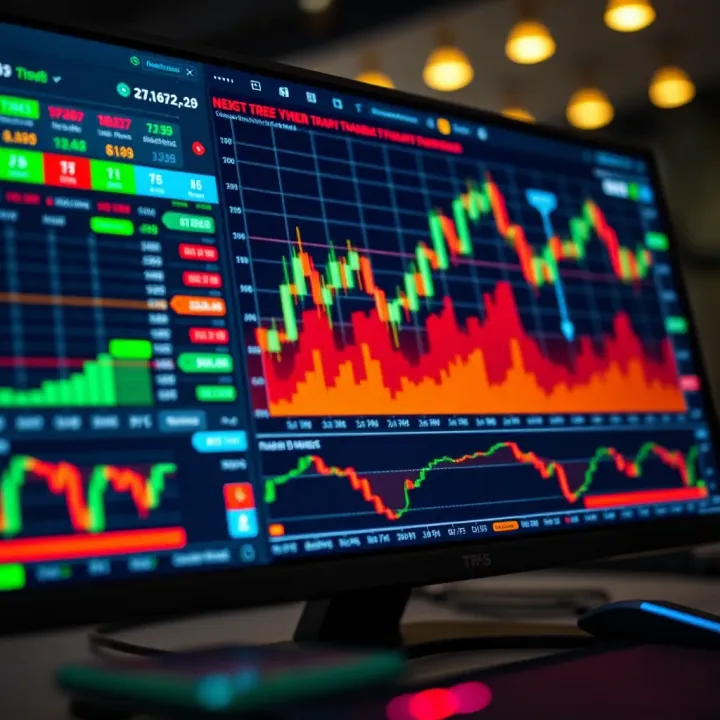
Explore TradingView.com for Pakistani traders 📈—learn features, tools, social networking, plans, and tips to start smart with market analysis and trading!
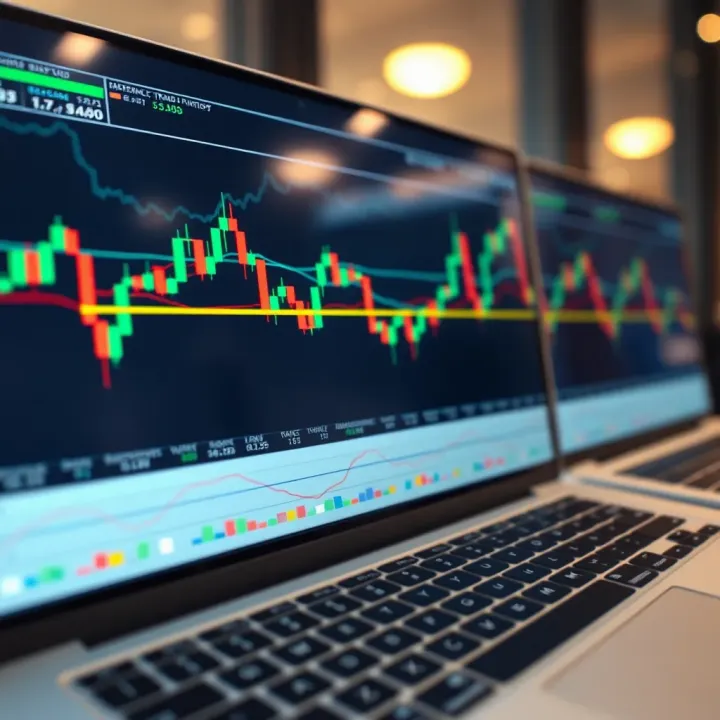
Discover TradingView’s key features, charting tools, and community tips 🇵🇰 Perfect for Pakistani traders aiming to make smarter market decisions 📊💡
Based on 5 reviews