
TradingView Guide for Pakistani Traders
Explore how Pakistani traders can benefit from TradingView.com with real-time data, advanced charts, and a strong trading community 📈💹
Edited By
Samuel Reed
TradingView.com has become a go-to platform for traders worldwide, and Pakistan is no exception. Whether you’re a seasoned investor or just dipping your toes into the stock market, understanding how to navigate TradingView can give you an edge in making informed decisions.
In Pakistan, where the stock market and forex trading are rapidly growing, having a reliable, easy-to-use, and feature-packed charting tool is essential. TradingView offers exactly that: real-time data, a wide array of chart types, technical indicators, and a social community where traders share ideas — all in one place.
This article lays out everything you need to know about using TradingView from the Pakistani trader’s perspective. We’ll cover key features, how to set up your account, customizing charts to fit local market conditions, plus handy tips to make your analysis sharper and faster.
Whether you’re tracking the Pakistan Stock Exchange (PSX) or international markets, mastering TradingView can simplify your market analysis and decision-making process. Let’s dive in and explore how this tool fits into Pakistan’s trading scene.
Understanding what TradingView offers is a must for any trader in Pakistan who wants to make informed decisions. Starting with an introduction lays the foundation for how one can use this platform to navigate volatile markets, spot trends, and execute trades more confidently. This section focuses on the platform's nature, why it’s widely favored, and the user groups it serves best.
Overview of the platform: TradingView is a web-based platform that provides real-time financial data, advanced charting tools, and social networking for traders and investors. It supports markets ranging from stocks, forex, and commodities to cryptocurrencies. For example, a Karachi-based trader interested in PSX stocks can use TradingView to view live price movements and apply technical indicators without needing expensive software.
The platform’s cloud-based nature means you can access your charts and saved settings from anywhere—whether you're at home, in a café, or even traveling to Lahore for business. This flexibility is handy for Pakistani traders juggling busy schedules but still wanting to keep a close eye on market shifts.
Target audience: TradingView attracts a diverse crowd—from casual hobbyists learning the ropes, to day traders making split-second decisions, and even institutional investors conducting detailed technical analysis. In Pakistan, this includes individuals trading in the stock market, those focused on international forex, and cryptocurrency enthusiasts keen to follow Bitcoin and altcoin trends closely.
Furthermore, students and finance professionals find TradingView invaluable as a learning and analytical tool, often using it to simulate trades and understand market behavior without risking actual money. This makes it a versatile platform catering to various levels of expertise and types of trading interests.
Accessibility and user-friendly interface: One reason TradingView stands out is how easy it is to use. The interface is clean, with a drag-and-drop system for charts and indicators that doesn’t overwhelm new users. For instance, a trader in Islamabad can quickly set up charts with candlestick patterns and moving averages without fumbling through complex commands.
Moreover, since it runs in browsers and offers mobile apps, it fits perfectly with today’s on-the-go lifestyle. Notifications for price alerts can pop up on your phone whether you’re commuting in a rickshaw or sipping chai at a street stall. This accessibility ensures traders don't miss critical market events.
Community-driven features: TradingView is more than just charts; it’s a hub where traders share ideas, strategies, and analysis. Pakistani traders can follow local influencers or technical analysts who publish their market views. This social aspect helps users get fresh perspectives, ask questions, and learn from collective experiences.
For example, a young trader in Faisalabad might follow an experienced Karachi analyst who posts detailed PSX stock breakdowns. These posts often include annotated charts, forecast predictions, and trade setups. Engaging with such content adds a layer of practical knowledge beyond textbook theories.
The power of TradingView lies not just in data and tools, but in building a network where traders grow together by sharing insights and strategies.
By setting a clear understanding of what TradingView is and why it's a go-to platform, Pakistani traders can better appreciate its value and start thinking about how it fits into their trading routine.
Before diving into the powerful tools and charts that TradingView offers, the first step is setting up your account properly. This is more than just a formality — it lays the groundwork for how you’ll interact with the platform and tailor it to your unique trading style. For traders in Pakistan, understanding this step is crucial because it impacts everything from data accessibility to how you customize your trading environment.
Registering on TradingView is straightforward but with some details worth noting. You’ll need a valid email address and a secure password. Once signed up, TradingView asks for basic information to personalize your experience, like preferred markets and interests. Pakistani traders find it helpful to set their timezone correctly here, as market hours matter a lot for analysis and alerts.
After creating your account, you can customize your profile by adding a profile picture and bio, which is useful if you want to engage with the community or follow other traders. Remember, your profile isn’t just for vanity – it helps other traders recognize your expertise and share ideas effectively.
TradingView offers free and paid plans, so choosing the right one depends on your trading needs and budget. For a beginner trader in Pakistan looking to explore charts and basic indicators, the free plan could be enough to start with. It grants access to most chart types and a limited number of indicators per chart.
However, if you find yourself needing more canves space, additional indicators, or real-time data (especially for fast-moving markets), upgrading to a paid plan like Pro or Pro+ makes sense. Pakistani traders should carefully evaluate features against their trading style. For example, day traders might prioritize instant alerts and multiple chart layouts — features more common in paid plans.
The free plan on TradingView is generous enough to get you started with basic charting and community access, but it comes with limits. You can only apply up to three indicators per chart and set one active alert at a time. Data may also be delayed for certain markets, including some regional exchanges.
Paid subscriptions unlock features like multiple charts on one screen, unlimited indicators, more alert types, and priority customer support. For serious traders, these additions can translate to faster decision-making and better market insights.
Keep in mind, the decision to upgrade hinges on how intensively you use the platform. If you check charts only once or twice a day, the free version might be all you need for a while.
Pakistani traders should consider their trading frequency and budget when picking a plan. The Pro plan offers a good balance for many active traders, allowing up to five indicators per chart and ten active alerts. It’s well-suited for those trading in local Pakistani markets, where slightly delayed data is common but still actionable.
For high-volume traders or those who want to monitor several markets at once, the Pro+ or Premium plans provide more comprehensive access including better data feeds and multiple device usage.
Keep an eye on exchange compatibility, too. Not all Pakistani brokers integrate directly with TradingView, but having a Pro plan means you can still do thorough technical analysis while placing trades manually or through broker platforms.
Setting up your TradingView account thoughtfully is the first step toward smart, efficient trading. Understanding the registration process and subscription options ensures your experience is tailored to your needs without paying for extras you don’t use. For Pakistani traders, this means tapping into local market insights without breaking the bank.
TradingView packs a punch when it comes to its core features and tools, making it a go-to for traders, especially in Pakistan where access to robust market analysis tools can be tricky. These features allow traders to spot market trends, test strategies, and keep tabs on numerous assets all in one place. From rich charting options to technical indicators and handy alerts, these tools are the backbone of how traders make informed decisions.
TradingView offers several chart types that cover the needs of different trading styles. The classics like line charts and bar charts are there, but the real power users go for candlestick charts. These give a visual snapshot of price action, showing open, close, high, and low in a simple glance—super helpful in fast-moving markets.
For Pakistani traders dipping into forex, stocks, or even cryptos like Bitcoin, candlestick charts reveal the story behind price moves. Plus, TradingView includes Heikin-Ashi charts for smoothing out market noise, and Renko or Kagi charts that filter minor fluctuations to focus on bigger trends. That’s like having different lenses to view the market, allowing better judgment depending on your trading style.
Customization is key when you spend hours analyzing charts. TradingView lets you arrange multiple charts on one screen with different timeframes or assets side-by-side. For example, you might keep a daily chart of Pakistan Stock Exchange (PSX) for long-term trends and a 15-minute chart to time entries.
You can save these layouts for quick access so your workspace feels familiar every time you log in. Changing colors, grid styles, and adding indicators just the way you like them helps cut through clutter and focus on what matters. Especially for Pakistani traders juggling local and international markets, custom layouts improve efficiency and clarity.
Traders often swear by indicators like the Moving Average Convergence Divergence (MACD) and Relative Strength Index (RSI) to gauge market momentum. On TradingView, these are readily available and popular among PSX and forex traders alike.
Other favorites include Bollinger Bands to spot volatility changes, and various moving averages (simple or exponential) to identify trends. The platform also supports volume-based indicators, crucial for confirming moves in less liquid markets like some Pakistani equities.
Applying an indicator on TradingView is straightforward: click the indicator tab and pick from the hundreds available, including community-built scripts. Once added, you can tweak settings—like adjusting the periods in an RSI from 14 to 7—to suit your strategy or the asset's behavior.
Adjusting colors and styles helps highlight signals better, making charts easier on the eyes during long sessions. Moreover, Pakistani traders can combine indicators, for instance, layering MACD and Bollinger Bands, to cross-check signals and reduce false alarms.
Screeners on TradingView filter the massive universe of stocks or crypto coins to find the ones that meet your criteria. Pakistani traders can filter PSX stocks based on volume, price change, or technical setups. For cryptos, you can filter by market cap or recent volatility.
This tool saves time hunting for opportunities and helps spot under-the-radar assets that fit your trading plan. It's like having a personal assistant running scans for you 24/7.
Alerts are a lifesaver for keeping tabs without watching screens all day. TradingView allows traders to set alerts on price levels, like a PSX stock hitting a certain target, or when an indicator crosses above or below a threshold, such as RSI moving out of oversold territory.
Alerts can be delivered via app notifications, email, or even SMS, so you stay in the loop wherever you are. This feature is especially helpful for Pakistani traders managing multiple positions or those who can't monitor markets continuously.
Staying on top of charts and signals without being glued to the screen is a game-changer in trading efficiency.
In short, TradingView's core tools are designed to support every step of a trader’s process—from spotting setups on flexible charts to acting on alerts. For traders in Pakistan, where market access and tools may be limited elsewhere, these features offer a significant edge.
TradingView isn’t just a charting tool—it’s also a bustling social network where traders can exchange ideas, learn from one another, and build connections. For traders in Pakistan, leveraging this community can be a real game-changer. It offers more than just technical tools; it provides insights from experienced market players who understand local nuances or global shifts affecting Pakistani markets.
How to post analysis: Posting your market analysis on TradingView is straightforward. After opening a chart, simply use the "Publish" feature to share your annotated charts, trade setups, or strategy notes. For instance, if you spot a possible breakout on the Pakistan Stock Exchange (PSX) index, you can overlay your prediction with trendlines and indicators, then share it with the community. This not only showcases your thought process but also invites feedback and discussion that can sharpen your trading approach.
A practical tip: always add clear titles and explanations to your posts. Think about what other Pakistani traders might find helpful, like highlighting how political events might impact certain sectors. This clarity attracts constructive engagement rather than vague comments.
Engaging with other traders: The real value comes from interaction. Comment on others' posts, ask clarifying questions, or share your own perspective. For example, if someone posts about a tech stock rallying on Nasdaq, you can chime in with how that might influence local companies listed on the PSX. These conversations help you stay sharp and discover new angles for analysis.
Stay consistent with your engagement. Follow traders who post regularly on Pakistani or regional markets and make it a habit to contribute to discussions. This builds relationships and a network you can rely on when markets hit unpredictable turns.
Finding experts relevant to Pakistani markets: TradingView lets you follow top analysts and influencers, which is especially useful when you want insights tailored to Pakistan’s financial scene. Start by searching for commentators who regularly post about the PSX, or specialists covering sectors like textiles or banking, which are significant in Pakistan.
You can spot these experts through their follower counts, frequency of posts, and the quality of their charts and reasoning. Following a mix of seasoned professionals and emerging voices ensures a variety of viewpoints. For instance, an analyst focusing on OGDCL (Oil and Gas Development Company Limited) might provide useful sector-specific news and technical setups.
Benefits of social interaction: Engaging with these influencers keeps you plugged into fresh perspectives and timely market commentary. It helps you avoid the trap of working in isolation, where your view of the market might be skewed or limited.
Moreover, social interaction can alert you to upcoming events or market risks early on. For example, discussions around currency fluctuations affecting import-heavy sectors or the fallout from political developments in Pakistan provide context that pure chart analysis can’t offer.
Staying connected through TradingView’s community enhances your market awareness and prepares you better for making well-informed trading decisions.
In short, the social aspect on TradingView adds a layer of real-world insight to technical setups, making it an essential part of a trader's toolkit in Pakistan. Don’t overlook the power of sharing, learning, and engaging—these are keys to growing your skills and confidence in trading.
TradingView offers a big advantage for traders in Pakistan, especially when it comes to analyzing local market trends and making timely decisions. For Pakistani traders who want to stay on top of the Pakistan Stock Exchange (PSX) or keep an eye on regional developments, having a platform that provides relevant data and connects smoothly with local brokers is a must.
Utilizing TradingView’s tools tailored for Pakistani markets helps traders access crucial insights that are specific to their environment — where economic changes, regulations, or geopolitical events can have a swift impact. Let’s break down how TradingView caters to these needs by focusing on local market data and broker integration.
TradingView provides access to data from the Pakistan Stock Exchange, giving traders real-time or near real-time price updates depending on the plan. While this access isn’t always seamless—some data streams may have slight delays or limited depth compared to international markets—it still allows traders to track shares from companies like Engro, Lucky Cement, and Habib Bank.
Getting local market data on TradingView means you can chart Pakistani equities alongside global assets without juggling multiple platforms. This integration supports better decision-making by showing how local stocks correlate with international indices like the Dow Jones or the Shanghai Composite. For example, if the oil sector faces a global shock, you can quickly see its effect on Pakistan’s Oil & Gas Development Company Limited (OGDCL) through TradingView charts.
One hiccup traders may face is that data from the PSX isn’t always fully real-time on TradingView without a premium subscription or additional data packages. Sometimes, the platform updates Pakistani market data with a delay of a few minutes or more. Also, some smaller stocks or sectors might have limited coverage, leaving gaps in the analysis.
Workarounds include:
Using third-party sources: Combine TradingView charts with data feeds from local financial news websites or broker platforms that provide real-time quotes.
Upgrading to paid plans: If serious about day trading Pakistani stocks, consider TradingView’s Pro or Pro+ plans, which offer better real-time data and customizable alerts.
Manual updates: For traders focused on technical analysis rather than minute-by-minute trading, careful manual refreshing or using end-of-day data could suffice.
It helps to view TradingView as an excellent tool for charting and strategy development, but not always a one-stop shop for instant order execution or live market feeds in Pakistan.
While TradingView supports direct brokerage integration with many international brokers, options in Pakistan remain somewhat limited. Yet, a few brokers have started to support connections or compatible APIs that allow syncing with TradingView's platform. Some of these include local industry players like IGI Securities, JS Global, and AKD Securities, known for embracing digital innovations.
Working with these brokers via TradingView means you can analyze markets on the same platform where you execute orders, improving workflow and reducing the risk of errors. Keep in mind though, full integration might still be evolving and traders should confirm the current status directly with their brokers.
Connecting your brokerage account to TradingView generally involves a few clear steps:
Check Broker Support: Confirm your broker supports integration with TradingView. This info is usually found in broker FAQs or customer support.
API or Trading Panel Setup: If supported, your broker will provide login credentials or API keys for TradingView.
Link in TradingView: Navigate to the Trading Panel within the TradingView interface, select your broker from the list, and enter the credentials.
Authorize and Sync: Approve the connection through your broker’s authentication method.
Once done, you can place trades directly from TradingView charts. This setup streamlines trading operations and lets you use TradingView's analytical tools in real time without switching apps.
Keep in mind: Account syncing may require extra security steps and confirming legal regulations in Pakistan related to trading platform connections.
In summary, while TradingView still has some limits for Pakistani users, especially around real-time data and broker integrations, it remains one of the best charting and analysis platforms available in the local context. By combining TradingView’s powerful tools with local knowledge and broker support, Pakistani traders can boost their trading edge noticeably.
For traders in Pakistan, having flexible access to market analysis tools is a must. TradingView’s mobile and desktop apps provide practical options for different trading styles and schedules. Whether you’re glued to your desk or catching price movements during a commute, these applications ensure you’re always in the loop.
TradingView’s mobile app offers many features found on the desktop but tailored for on-the-go use. While the desktop version boasts comprehensive charting tools and multi-layout screens, the mobile app focuses on ease of navigation and quick access to essential functions. For example, Pakistani traders who catch market trends during a tea break can swiftly switch between crypto and forex charts without waiting for a computer.
The mobile interface supports interactive charts with pinch-to-zoom and swipe gestures, making it easier to follow price changes. However, some advanced analysis features—like multi-chart layouts or scripting in Pine Editor—are less accessible here, which suits traders needing quick insights rather than deep dives.
Notifications and alerts on the go are perhaps the app's biggest selling point. You can set price alerts for the Karachi Stock Exchange symbols or global assets and get instant push notifications. This means a trader doesn’t have to babysit the market all day and can react immediately if a chart pattern breaches a key level. Imagine waking up and your phone buzzes because your set alert triggered — that's a game-changer for active traders juggling other commitments.
When it comes to serious analysis, the desktop version shines. Pakistani traders who prefer detailed chart setups benefit from the desktop app's robust environment. It supports multiple charts on one screen, complex indicator combinations, and the full Pine Script editor for custom strategies. This deeper functionality is ideal for traders diving into technical setups before placing trades.
Multi-monitor setups take this even further. Having two or three screens running various charts, watchlists, and news feeds allows traders to spot market moves fast and compare asset performance side by side. For instance, a day trader in Lahore might watch KSE-100 index on one screen, forex pairs on another, and the news feed on a third. This setup isn’t just a luxury—it can be a necessity for those who rely heavily on quick decision-making.
The choice between mobile and desktop versions depends largely on your trading style and workflow. Mobile delivers nimbleness; desktop offers depth. Both combined provide a strong toolkit for Pakistani traders.
In short, using TradingView's mobile and desktop apps together offers a balanced approach—enabling traders to stay engaged and well prepared whether they’re at home, at work, or on the move.
TradingView offers a wealth of features that can overwhelm even seasoned traders if not used thoughtfully. Knowing how to tailor the platform to your individual needs can transform it from a simple charting tool into an indispensable part of your trading routine. For Pakistani traders, this means not just accessing the right data but also making your analysis faster and more insightful. Here we focus on practical tips that make your workflow smoother and your learning curve shorter.
Custom templates on TradingView let you save a set of chart indicators, drawing tools, and visual styles that match your trading strategy. For example, if you frequently analyze the Pakistan Stock Exchange (PSX) data with specific moving averages and volume indicators, creating and loading a custom template saves you from setting up those charts every time. This can shave off minutes each session and let you focus more on market trends than fiddling with settings.
Using templates is straightforward: after setting up your chart with all desired indicators and layouts, simply save it as a template. Next time you pull up a chart, you just apply that template with one click. This is a huge time-saver when switching between different assets like equities, commodities, or cryptocurrencies.
Keyboard shortcuts are another gem that often flies under the radar. TradingView supports a robust range of shortcuts—from zooming and panning charts to switching drawing tools or toggling alert panels. For instance, using the “R” key resets your chart to the default zoom, which can be handy when you get lost in detailed analysis.
To customize your shortcuts, head over to the settings menu where you can tailor or memorize the key bindings that suit your workflow. Getting comfortable with these hotkeys means less mouse movement and more time capturing trading opportunities as they unfold.
TradingView’s own tutorials and webinars are gold mines for both beginners and advanced users. These resources cover everything from the basics of charting to using Pine Script for custom indicators. Since the platform regularly updates with new features, catching up through official videos ensures you’re not missing out.
For instance, if you're curious about setting up alerts based on complex conditions or want to understand the nuances of their screener tools, official webinars break down the process step-by-step with real-time examples. This hands-on learning method is especially useful if English isn't your first language, as the visual demonstrations speak louder than words.
Beyond the official guides, TradingView’s community is vibrant and always ready to share insights. Pakistani traders often publish analyses, scripts, and even video tutorials explaining local market quirks or specific strategies that work on PSX or crypto exchanges like Binance.
Diving into community content not only broadens your perspective but also connects you with other traders who understand the unique challenges faced in Pakistan’s markets. Participating in forums or following expert analysts lets you learn from their mistakes and successes alike. It's like having a trading buddy who’s always around to bounce ideas off.
Embracing these tips does more than just improve your technical skillset; it equips you to trade smarter, not harder. By streamlining your workflow and tapping into rich learning resources, TradingView can fit seamlessly into your daily trading life in Pakistan.
Working with TradingView in Pakistan comes with a few bumps, especially for traders who want reliable, real-time data or content tailored to their needs. Understanding these hurdles and knowing practical tricks to get around them can save a lot of headaches and keep the trading workflow smooth. This section digs into the common issues Pakistani traders face and offers straightforward solutions.
One of the biggest challenges is the delay in receiving market data, especially for local exchanges like the Pakistan Stock Exchange (PSX). Unlike some global markets, PSX data on TradingView is often delayed by 15 to 20 minutes unless you have access to paid real-time feeds. This lag can derail fast-paced trading decisions, particularly day traders who rely on up-to-the-second info.
To manage this, it’s important to recognize TradingView’s default data sources and delays specific to your markets. Many Pakistani traders verify signals on TradingView and then cross-check prices on broker platforms which sometimes offer faster local data. For example, using systems like IG or Interactive Brokers alongside TradingView can help bridge the gap.
Beyond cross-checking brokers, traders can pull in external market feeds to enhance precision. Financial news portals like Bloomberg or Reuters offer real-time headlines and broad market snapshots. Additionally, local apps and broker terminals often provide more accurate tick-by-tick prices or order book views, which TradingView lacks.
Some advanced users set up alert systems with APIs connected to broker platforms for instant notifications, sidestepping TradingView’s delays. While this setup might need some technical know-how, the benefit in timely, reliable data access can’t be overstated for active traders.
In other words, while TradingView is fantastic for analysis, pairing it with real-time feeds from brokers or financial news services ensures traders in Pakistan don't miss the boat.
For Pakistani traders, one challenge is the predominantly English interface of TradingView. While English is widely spoken in the finance community, beginners or those more comfortable in Urdu or regional languages might find this a barrier. Unfortunately, TradingView does not currently support Urdu or other local languages as interface options.
The practical move here is to familiarize oneself gradually with English terms used commonly in trading platforms. Traders often use glossaries or community forums to understand terminologies. Pakistani trading communities on social media and WhatsApp groups can also help by translating or explaining platform features.
Another hurdle is sifting through TradingView’s global pool to find analysis and ideas relevant specifically to Pakistani markets. Much of the published content caters to international assets, leaving local stocks or indices underrepresented.
To tackle this, Pakistani users can customize their watchlists and follow local market influencers within TradingView’s social network. Many local traders publish analysis there, but it requires proactive searching. Engaging in local trading communities outside TradingView can also point you toward accurate and relevant content feeds.
Building a localized view on a global platform takes some effort, but the payoff is better insight and tailored trading strategies.
The take-home here? TradingView is a powerful resource, but it isn't perfect for every region out of the box. Pakistani traders who understand its limitations and supplement the platform with local tools, network support, and alternative data sources will find their trading experience much more effective and accurate.
While TradingView offers a broad range of features that appeal to many traders, it's not a one-size-fits-all solution. Pakistani traders might find certain alternatives better suited for specific needs or situations. Understanding when to consider other tools can help you make smarter decisions and avoid getting stuck with features that don’t quite fit your trading style.
TradingView is powerful but not flawless. For instance, it doesn’t support direct high-frequency trading or advanced order types that professional trading platforms offer. If you’re looking for ultra-fast execution or want to implement algorithmic trading with complex backtesting capabilities, platforms like MetaTrader 5 or NinjaTrader might serve you better.
Also, though TradingView has a vast library of indicators, it lacks native support for some domain-specific financial instruments, like futures exchanges widely used outside typical stock or crypto markets. This can feel limiting if you’re diving deep into derivatives.
In Pakistan, MetaTrader 4 and 5 remain popular, especially among forex traders, due to broker support and built-in Expert Advisors for automation. Tickers like PSX’s own data terminals or solutions like Bloomberg Terminal (though expensive) offer professional-grade data you won't always find on TradingView.
Some regional platforms also offer tailored support for local exchanges with real-time data direct from Pakistan Stock Exchange, something that might require workarounds on TradingView. Brokers like JS Global or Arif Habib have proprietary platforms that integrate trading and analytics seamlessly within Pakistan’s stock environment.
TradingView shines in charting and social features but often isn’t a full trading terminal for local markets. Most Pakistani traders pair it with their broker’s app or platform for order execution and account management. This way, TradingView becomes the research and planning hub, while broker apps handle the nitty-gritty of placing or managing trades.
For example, you might analyze a stock’s trend on TradingView, then execute your buy or sell orders using the MCB Arif Habib Savings & Investments app. This workflow avoids transferring charts and indicators between unrelated platforms manually and cuts down on errors.
Using multiple tools can lead to a flood of data and conflicting signals, which causes paralysis rather than clarity. It's essential to pick a few reliable sources — like TradingView for charts and your broker for live quotes — and stick to those.
Set clear priorities: decide which platform handles what, so you don’t get bombarded with duplicate alerts or mismatched information. Streamlining reduces stress and sharpens decision-making during fast market moves.
Keeping your toolkit lean and focused helps more than having a dozen apps open at once. Smart traders know it’s about quality info, not just quantity.
By understanding the strengths and limits of TradingView and using it along with other well-chosen tools, Pakistani traders can build a flexible yet effective trading setup that’s tailored for their unique needs.
Wrapping up, this guide to TradingView reflects how it serves Pakistani traders on several levels. It isn't just about pretty charts or sharing ideas; TradingView stands out as a tool that makes trading more approachable and grounded in real data. From novice investors to seasoned finance professionals, the platform’s features can be adapted to fit different trading styles and needs.
TradingView offers comprehensive charting tools that help traders identify market trends quickly.
Real-time alerts and customizable indicators keep traders on their toes without having to watch screens round the clock.
Its social and community features connect Pakistani traders with global insights, something quite valuable when navigating local markets with limited native resources.
These points sum up why this platform is more than another charting app—it’s practically a digital trading companion.
How it fits into daily trading routines: TradingView slots in naturally alongside typical trading activities. For example, a day trader in Karachi can start their morning scanning stock screeners for opportunities, use customized watchlists throughout the day, and set alerts to notify them of key price movements. This workflow saves time and helps maintain focus on critical decisions, avoiding burnout.
Begin with the free plan to get acquainted with basic chart functions before upgrading.
Start by focusing on fewer indicators rather than stacking them up; too many can cloud your decision-making.
Experiment with the platform’s community posts to see how others analyze markets, but keep a critical eye.
Make use of TradingView’s official tutorials and webinars—they’re straightforward and tailored to various experience levels.
Check out local forums and groups where Pakistani traders discuss platform tricks and share alerts.
Keep an eye on broker integration guides if you plan to link TradingView directly to your trading account, optimizing order execution.
Getting a hang of TradingView might take a bit, but with a step-by-step approach and smart habit building, you'll find yourself trading smarter, not harder.
Overall, starting now with TradingView is less about rushing to know every feature and more about building a trading routine that fits your goals and schedule. Keep it practical, stay curious, and let the platform work for you.
Explore how Pakistani traders can benefit from TradingView.com with real-time data, advanced charts, and a strong trading community 📈💹
Explore TradingView.com for Pakistani traders 📈—learn features, tools, social networking, plans, and tips to start smart with market analysis and trading!
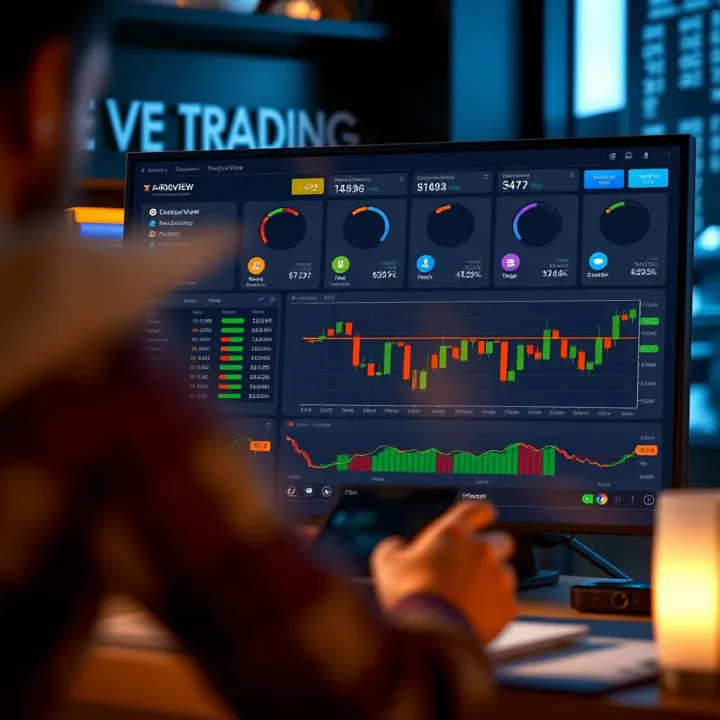
Explore TradingView’s powerful charting tools 📈, community features 🤝, and broker integrations 💼 tailored for traders in Pakistan 🇵🇰 to make smarter market moves.
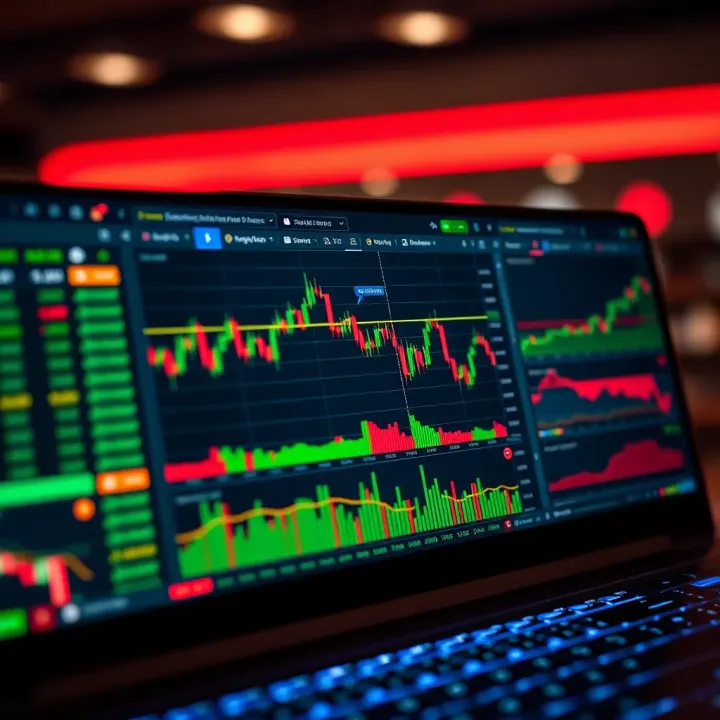
📊 Discover how TradingView empowers traders in Pakistan with advanced charts, indicators, broker integration, and mobile tools for smarter market moves!
Based on 8 reviews