
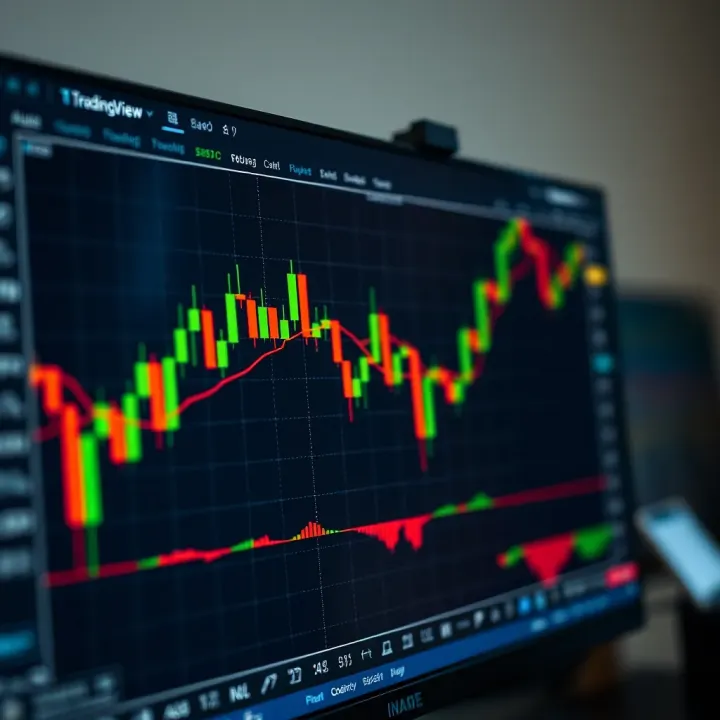
Using TradingView with Deriv for Smarter Trading
📊 Discover how to combine TradingView's charts with Deriv's platform for smarter trading decisions. Learn setup tips and get the edge in Pakistan markets!
Edited By
Henry Walsh
TradingView and Deriv are among the top tools for traders seeking robust charting and options for live trading. TradingView offers powerful charting features and custom indicators, while Deriv serves as a popular platform for derivatives trading, including forex, synthetic indices, and options. Combining these two platforms can elevate your trading strategy by providing real-time data and advanced analysis.
Many traders overlook the ease with which TradingView can be set up to watch Deriv markets closely. The key benefit lies in TradingView's interactive charts, which let you spot trends, draw key lines, and automate signals before placing trades via Deriv. For instance, you can configure RSI and moving average indicators on TradingView to fine-tune your entry and exit points on Deriv, improving timing and decision-making.

Setting up TradingView for Deriv involves selecting the right instruments, linking charts for real-time monitoring, and customising alerts depending on your trading style—be it scalping or positional trading. Real-time updates ensure you’re not trading on outdated information, which could otherwise lead to losses especially in fast markets like forex. For example, traders using synthetic indices can benefit greatly from TradingView’s minute-by-minute candlestick charts.
Integration between TradingView and Deriv is not just about aesthetics; it's about creating a workflow that blends technical analysis precision with execution efficiency.
Understanding this connection can help traders reduce guesswork and bring clarity to complex market movements. Step-by-step guidance in following sections will cover everything from configuring chart layouts, using pre-built and custom indicators, to syncing alerts with Deriv’s platform. You'll learn to harness the strengths of TradingView’s charting capabilities alongside Deriv’s flexible trading options.
Whether you are an experienced trader looking to automate signals or a beginner trying to read markets better, mastering this integration is a smart move. It makes your trading more informed and less prone to rash decisions, especially during volatile sessions.
Traders, finance professionals, and students alike will find value in this practical guide by gaining insights into tools that typically require costly subscriptions or steep learning curves elsewhere. Here, the focus remains on accessible, actionable knowledge tailored for Deriv users alongside the popular features within TradingView.
Next, we will explore how to set up your TradingView workspace specifically for Deriv trading, ensuring you get most from both platforms in daily practice.
Understanding both Deriv and TradingView is essential for traders seeking to maximise their market efficiency and make informed decisions. This section breaks down these platforms' core features and their relevance to practical trading strategies, especially when combining their strengths.
Deriv stands out for offering a broad range of financial instruments across forex, synthetic indices, commodities, and stock options. What makes it practical is the flexibility it offers traders — for example, synthetic indices allow around-the-clock trading on assets designed to simulate real market behaviour but without the typical market hours or holidays. This suits traders in India who might want to trade beyond standard market times. Deriv also supports multiple account types and provides user-friendly interfaces, making it accessible for both beginners and experienced traders.
Deriv offers several trading methods like digital options, CFDs (Contracts for Difference), and multipliers. Digital options allow traders to predict price movements within a fixed time frame, offering potential high returns with limited risk. CFDs, on the other hand, provide exposure to price changes without ownership of the underlying asset, and multipliers let traders magnify profits (and losses) on smaller investments. This variety caters to different risk appetites and trading preferences, making Deriv versatile for diverse market conditions.
TradingView equips traders with a suite of advanced charting tools and over a hundred technical indicators, such as Moving Average Convergence Divergence (MACD), Relative Strength Index (RSI), Bollinger Bands, and Fibonacci retracements. For instance, a trader analysing Deriv's synthetic indices can apply multiple indicators simultaneously to detect trends and reversals. The platform also supports custom scripts via Pine Script, allowing users to tailor indicators or develop automated alerts based on specific market behaviour.
What sets TradingView apart is its active community of traders and investors sharing real-time analyses, trade ideas, and setups. Users can publish their charts and strategies, comment on others' posts, or follow seasoned experts to learn from their insights. This collaborative environment helps Indian traders keep updated with market sentiments and diverse perspectives, enhancing decision-making beyond just technical data.
Combining Deriv’s diverse trading options with TradingView’s robust analysis tools and community insights creates a practical ecosystem for successful trading.
This overview sets the stage for understanding how these platforms work together, improving your chances in trading with better data, analysis, and execution.
Deriv is a versatile platform attracting traders with varying experience levels. Pairing it with TradingView, a powerful charting and analysis tool, can significantly improve trade decisions. TradingView offers advanced features not always available on Deriv’s native interface, making it easier to spot trends, understand market movements, and plan entries or exits with precision.
By using TradingView alongside Deriv, you gain a more detailed view of price action supported by a wide range of tools and customisations. This combination helps traders avoid guesswork and strengthens their strategies based on technical evidence rather than hunches.

TradingView provides a rich set of charting options, including dozens of technical indicators such as moving averages, oscillators like RSI and MACD, and drawing tools for trendlines and Fibonacci retracements. This empowers Deriv traders with a comprehensive toolkit to analyse price movements in-depth and identify crucial support or resistance zones.
For example, a trader monitoring forex pairs on Deriv can use TradingView’s indicators to confirm signals before executing trades. If the MACD shows a bullish crossover while the price nears a strong support level, this additional insight reduces risk and improves timing. Such precise analysis isn’t always possible within Deriv’s minimal charting tools.
TradingView allows traders to tailor their workspace with multiple charts visible simultaneously. You can track different Deriv assets, each on its own custom timeframe and with unique indicators attached. This makes spotting correlations or divergences easier.
Imagine watching three charts side by side: currency pairs, commodities, and synthetic indices from Deriv. You can set one chart to show long-term trends using daily candles, another for short-term trades on a five-minute interval, and the third focusing on volume indicators. This arrangement lets you adapt to market speed and react promptly, an advantage that raw Deriv charts don’t provide.
TradingView delivers live market data that syncs closely with Deriv’s prices, so you won’t miss critical moves. It updates charts instantly across multiple devices, ensuring that traders stay informed whether they use a desktop, tablet, or mobile.
For a day trader focussing on volatile markets like indices or forex on Deriv, real-time data means acting on fresh information, avoiding losses due to delays. This feature is especially important during overlapping market sessions when prices swing rapidly.
Another practical feature TradingView offers is custom alerts. Traders can set notifications based on price levels, indicator values, or specific patterns. For instance, you can create an alert that triggers when the Nifty index crosses 17,500 or when RSI moves into oversold territory.
These alerts come through app notifications, email, or SMS, letting you manage trades actively without staring at screens all day. It ensures you catch good entry or exit points on Deriv timely, improving your chances of profitable trades.
Using TradingView with Deriv adds depth and responsiveness to your trading, helping you analyse markets thoroughly and act quickly with reliable data and tailor-made alerts.
Setting up TradingView correctly for Deriv trading is essential to make the most of both platforms. Proper setup ensures you receive real-time data, have access to relevant instruments, and can customise charts to match your trading style. This process bridges the gap between analysis and execution, allowing smoother decision-making on Deriv.
Getting started with TradingView is straightforward but needs care to avoid future hassles. First, visit TradingView’s official website and sign up using your email or social media accounts. You'll need to verify your email to activate the account. Once registered, take time to explore free features before deciding whether to upgrade to a paid plan. For example, the free plan offers sufficient charting tools, but premium subscriptions unlock multi-chart layouts and real-time data across several assets.
Linking your TradingView account with Deriv enhances your workflow by allowing seamless transition from analysis to trading. While Deriv doesn’t offer direct API integration with TradingView, you can use TradingView to analyse charts and then place trades manually on Deriv. Some third-party bridge software claims to connect the two, but relying on them invites risks. Instead, use TradingView’s alerts feature to notify when your trade setup is ready, then execute trades on Deriv. This two-step connection works reliably without technical complications.
Deriv supports multiple assets like forex pairs, synthetic indices, and cryptocurrencies. It’s important to configure TradingView to display these specific instruments for accurate analysis. You can search for popular forex pairs such as EUR/USD or synthetic indices like Volatility 75 Index on TradingView. Adding these to your watchlist helps you track live price movement essential for timely trading on Deriv.
TradingView allows you to tailor indicators and timeframes to suit your strategy. For instance, short-term traders on Deriv might prefer 5-minute or 15-minute charts combined with moving averages and RSI indicators to catch quick price moves. On the other hand, investors looking at longer trends can use daily charts and Bollinger Bands. Customisation lets you filter market noise and focus only on indicators that align with your trading goals, improving the chances of success.
Setting up your TradingView with the right instruments and customised charts prepares you to react quickly, making your Deriv trading experience logical and efficient.
By following these setup steps carefully, traders can leverage TradingView’s powerful charting while optimising their trade execution on Deriv for better results.
When trading on Deriv, combining effective strategies with TradingView’s tools can sharpen your decisions and control risks better. This section focuses on putting practical technical analysis methods to work and aligning TradingView signals with your actual trading on Deriv. Knowing how to read charts and indicators on TradingView helps you anticipate market movements and time your trades more accurately.
Moving averages smooth out price data, making it easier to spot trends. On TradingView, you can apply simple moving averages (SMA) or exponential moving averages (EMA) to Deriv assets. For example, a 50-day EMA crossing above the 200-day EMA often signals a bullish trend. Oscillators like the Relative Strength Index (RSI) or Stochastic Oscillator help show whether an asset is overbought or oversold. On a 15-minute chart for Deriv digital options, an RSI crossing below 30 might hint at a buying opportunity as the asset tends to bounce back from oversold conditions.
Support and resistance levels represent price zones where the market historically tends to pause or reverse. Traders can draw these levels on TradingView charts manually or use built-in tools for better accuracy. For instance, if Nifty’s price approaches a previous low repeatedly but doesn't drop further, this marks a strong support level useful for setting stop-loss orders. Spotting resistance near the high points can help you decide when to take profits or avoid entering trades too early.
TradingView signals should guide your entry and exit on Deriv but not dictate them blindly. For example, if TradingView’s MACD indicator shows a bullish crossover and the price bounces off a support level, you may decide to place a call option on Deriv’s forex pairs. However, always confirm signals with multiple indicators or volume trends to avoid falling for false breakouts. Speed matters here; Deriv’s platform enables quick trade placement, so practising swift execution based on your chart analysis can make a significant difference.
Risk control is vital in Deriv trading, especially when market swings can be sharp. Using TradingView to identify support and resistance points helps set sensible stop-loss and take-profit levels. For example, if you enter a trade after a RSI signal, place your stop-loss just below the nearest support to limit losses. Meanwhile, setting a take-profit near established resistance locks in gains without getting greedy. This approach protects your capital and builds disciplined trading habits.
Successful trading balances analysis and swift action. With TradingView’s rich charting tools and Deriv’s responsive trading interface, you can follow strategies that reduce guesswork and improve your odds in volatile markets.
By mastering technical tools and applying them thoughtfully on Deriv, you gain better control and confidence in your trades. These strategies are practical steps anyone can take to enhance their trading game, whether you’re focusing on digital options, forex, or synthetic indices.
Trading on Deriv using TradingView’s advanced tools demands more than just knowing platform features. Successful trading comes from fine-tuning your setup and avoiding common mistakes. This section covers practical tips to help you make the most of TradingView’s integration with Deriv, improving your efficiency and decision-making.
Custom watchlists let you keep an eye on Deriv’s diverse asset options all in one place. For example, if you trade forex pairs as well as synthetic indices on Deriv, creating a watchlist for each category simplifies your focus. By grouping instruments, you don’t waste time scrolling through irrelevant assets during volatile sessions. TradingView’s watchlist feature allows you to add, remove, and reorder assets as your trading preferences evolve.
Managing multiple charts simultaneously adds great value, especially when tracking different timeframes or correlated assets. For instance, monitoring an hourly chart alongside a 5-minute candlestick for the same Deriv asset highlights both broader trends and short-term entry points. You can arrange these charts side by side or in tiled layout within TradingView, ensuring a live overview without swapping tabs. This setup helps in quicker trade decisions and better risk management.
False signals and market noise can easily mislead Deriv traders relying on TradingView's indicators. For example, a sudden spike in price might trigger a buy alert caused merely by a momentary market fluke, not real trend change. To handle this, combine multiple technical indicators like RSI with moving averages instead of relying on one signal. Also, applying filters such as volume thresholds helps eliminate false alarms.
Balancing detailed analysis with speed in execution matters a lot on Deriv’s fast-moving platform. Spending too much time fine-tuning charts or waiting for perfect setups can cause you to miss profitable trades. Conversely, rushing trades without proper confirmation leads to losses. A practical approach is to prepare your chart layouts and alerts before market opens and trust established signals during live trading. This way, you maintain a good rhythm between analysis and action, especially useful in volatile market conditions.
Adopting these best practices ensures you make TradingView’s powerful features work effectively with Deriv, improving your trading confidence and results.
📊 Discover how to combine TradingView's charts with Deriv's platform for smarter trading decisions. Learn setup tips and get the edge in Pakistan markets!

Explore how TradingView and Deriv work together for Pakistani traders 📈. Learn to use charting, risk management, and technical analysis for smarter trades!

📈 Learn how to connect TradingView with Deriv for smarter trading. Step-by-step setup, pro tips, and solutions for smoother trades in Pakistan.

Explore Exness in Pakistan 🇵🇰: Get insights on account types, platforms, regulation, and easy deposit-withdrawal options tailored for Pakistani traders. Trade smart and safe!
Based on 10 reviews